
A code editor that treats your phone like a workstation
Tabs, a VS Code-style explorer, zero-config language servers, 24 on-device runners and Git with pull requests — for 29 languages, offline.
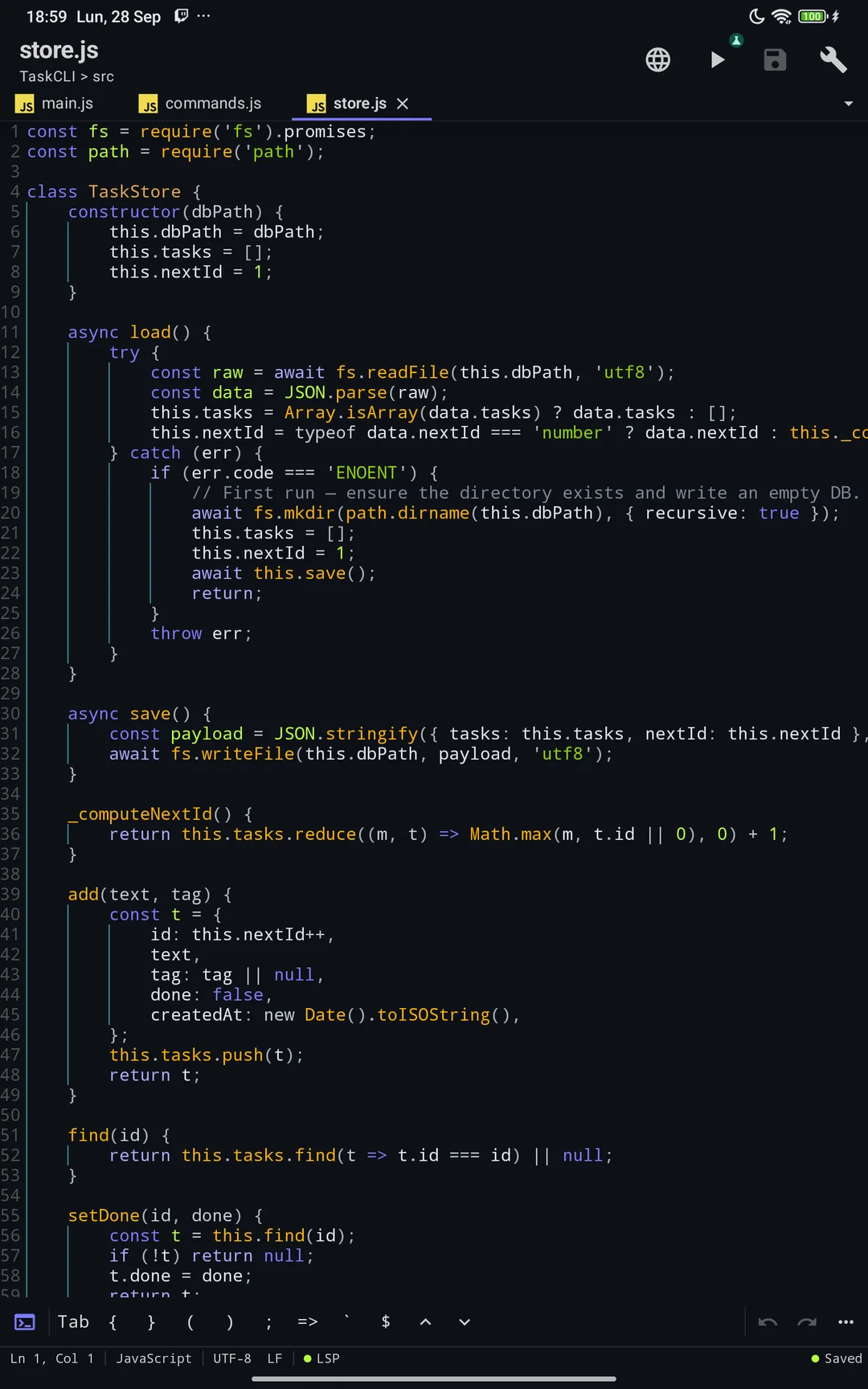
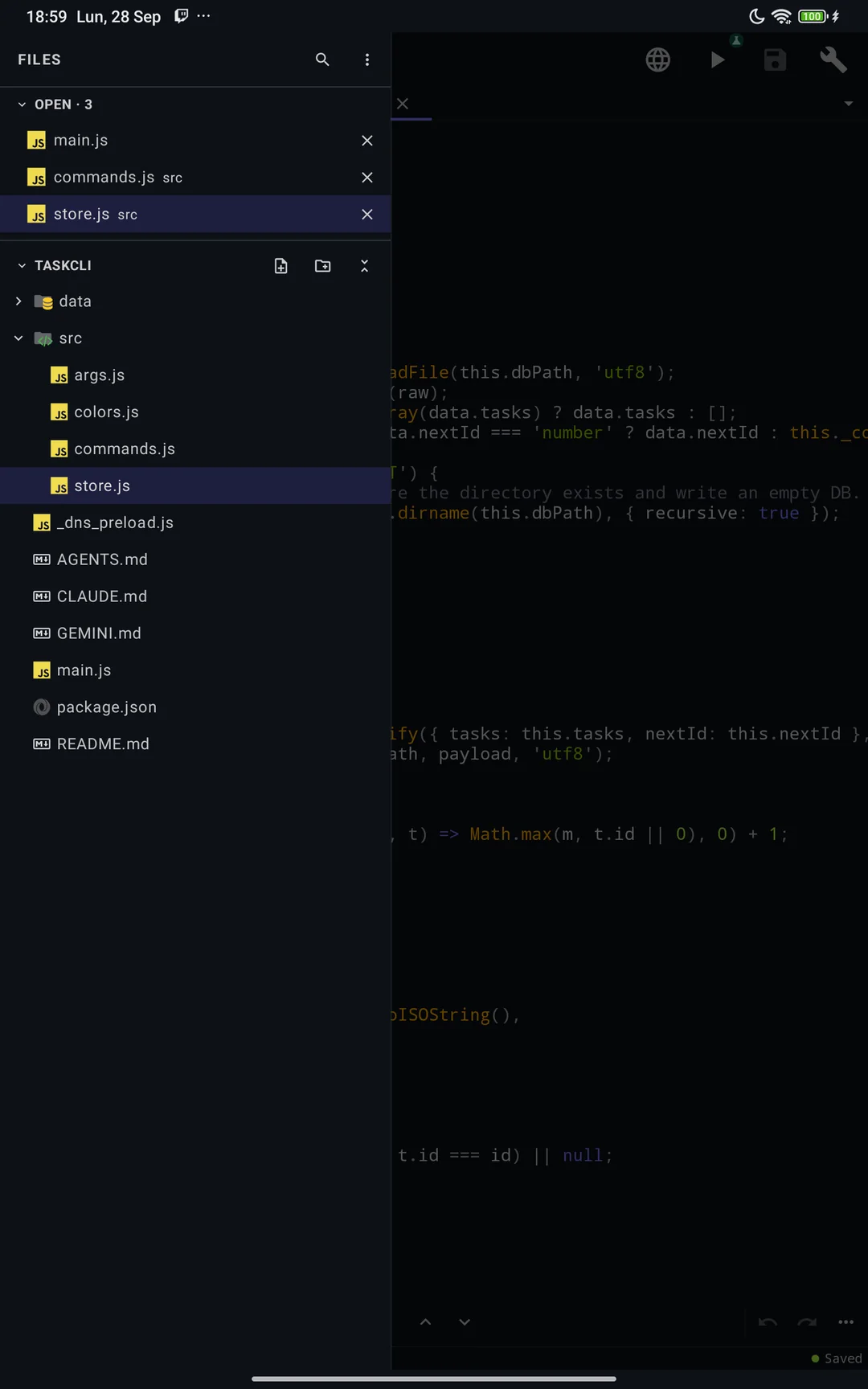
A workspace, not a text box
Tabs, a VS Code-style explorer and a palette at the top — sized for a phone and a tablet.
- Drag tabs to reorder; preview tabs; the session comes back per project
- Explorer with Git marks, create, rename and delete; resizable on tablets
- Ctrl+P for files, Ctrl+Shift+P for commands, @ for symbols, :N for lines
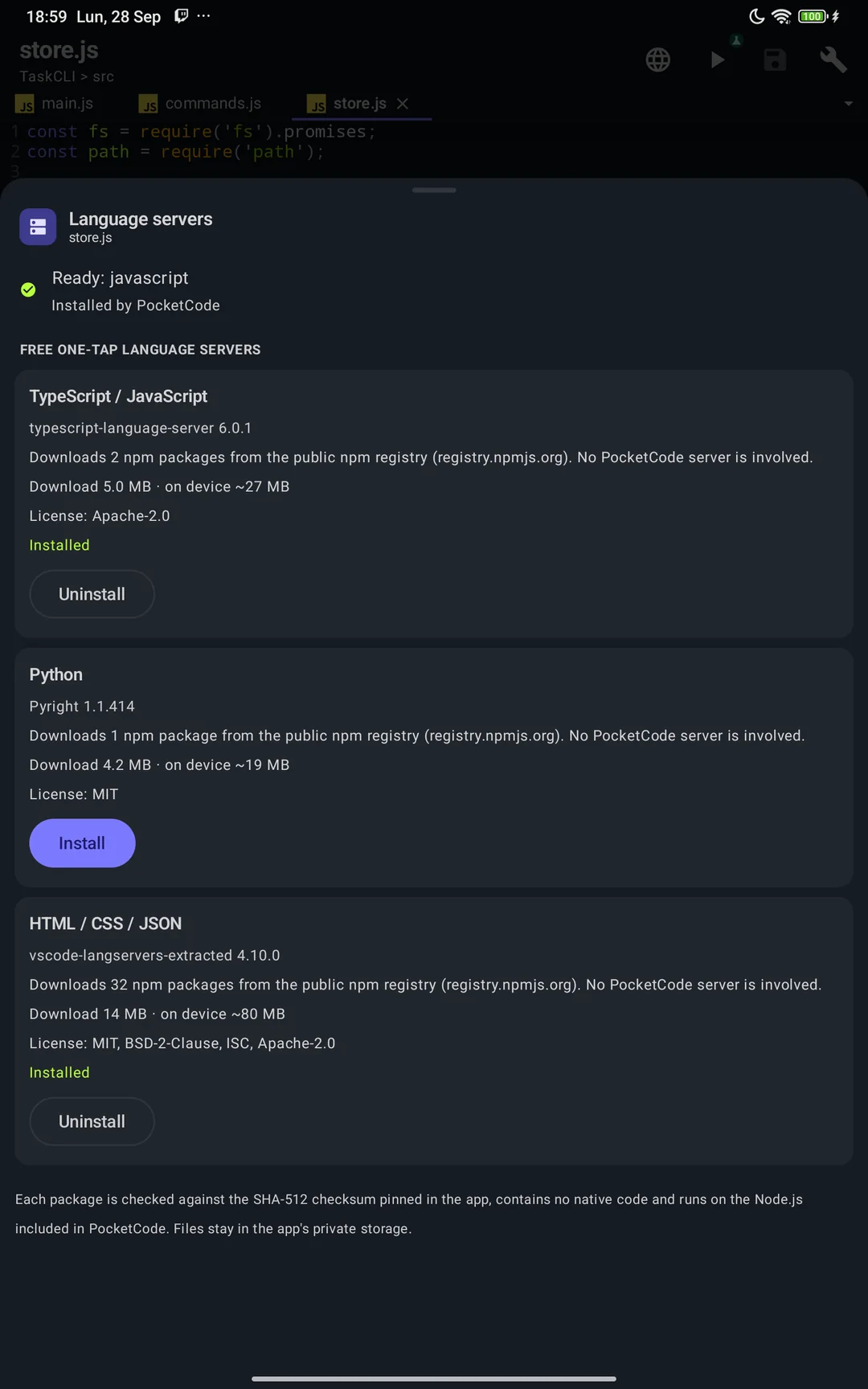
Language servers with zero setup
Tap once and TypeScript, Python, HTML, CSS or JSON get real autocomplete and live errors.
- Go-to-definition, references, peek and a safe rename
- One Problems panel for every open tab, with quick fixes
- Servers are pinned and checked inside the app — nothing to configure
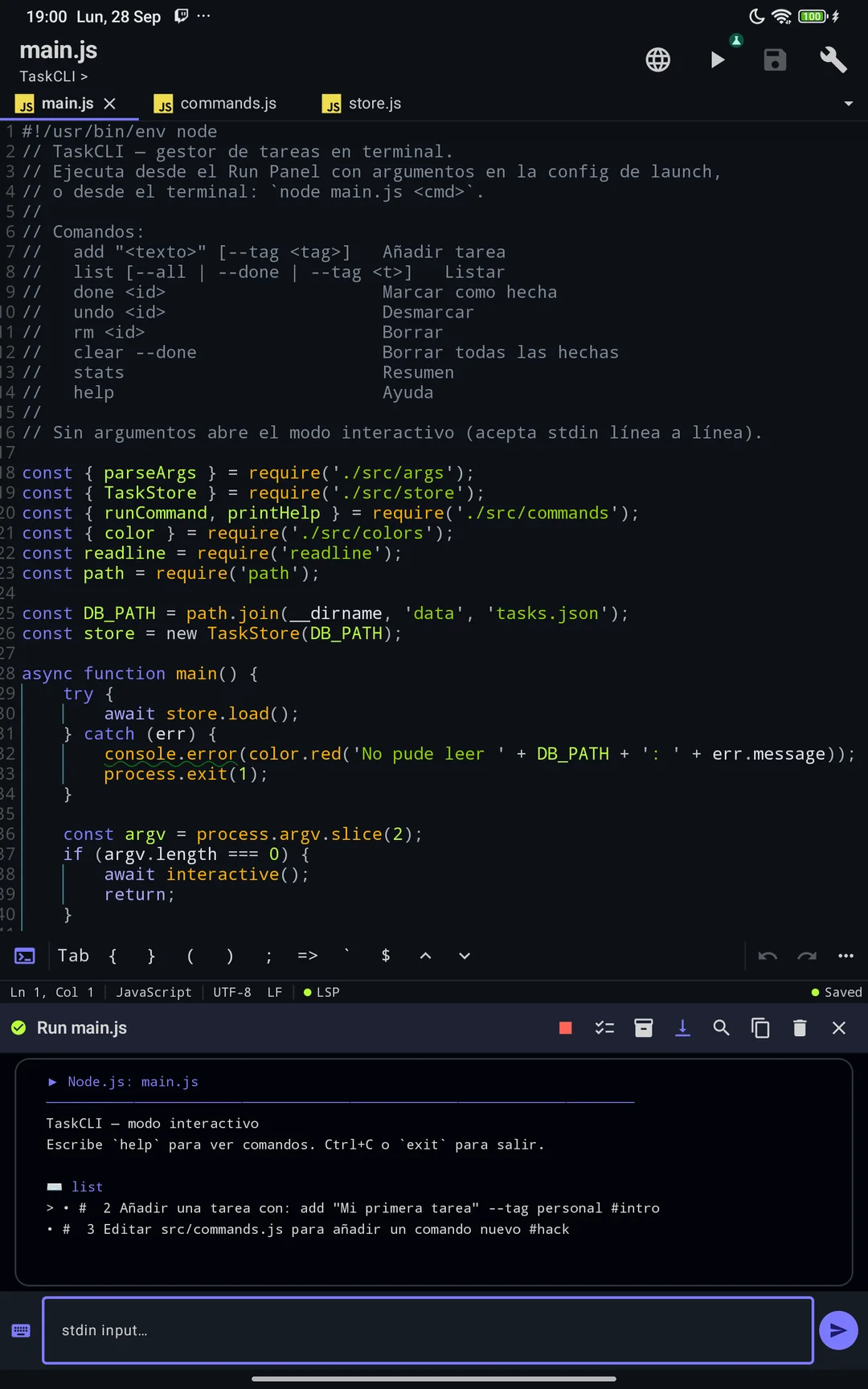
Run it on the phone
Execute real code with 24 on-device runners.
- JavaScript, TypeScript, Python, Ruby, Go, C, C++ and more
- WASM and JVM runtimes on the device — no remote server
- A real Node.js debugger and 12 test frameworks
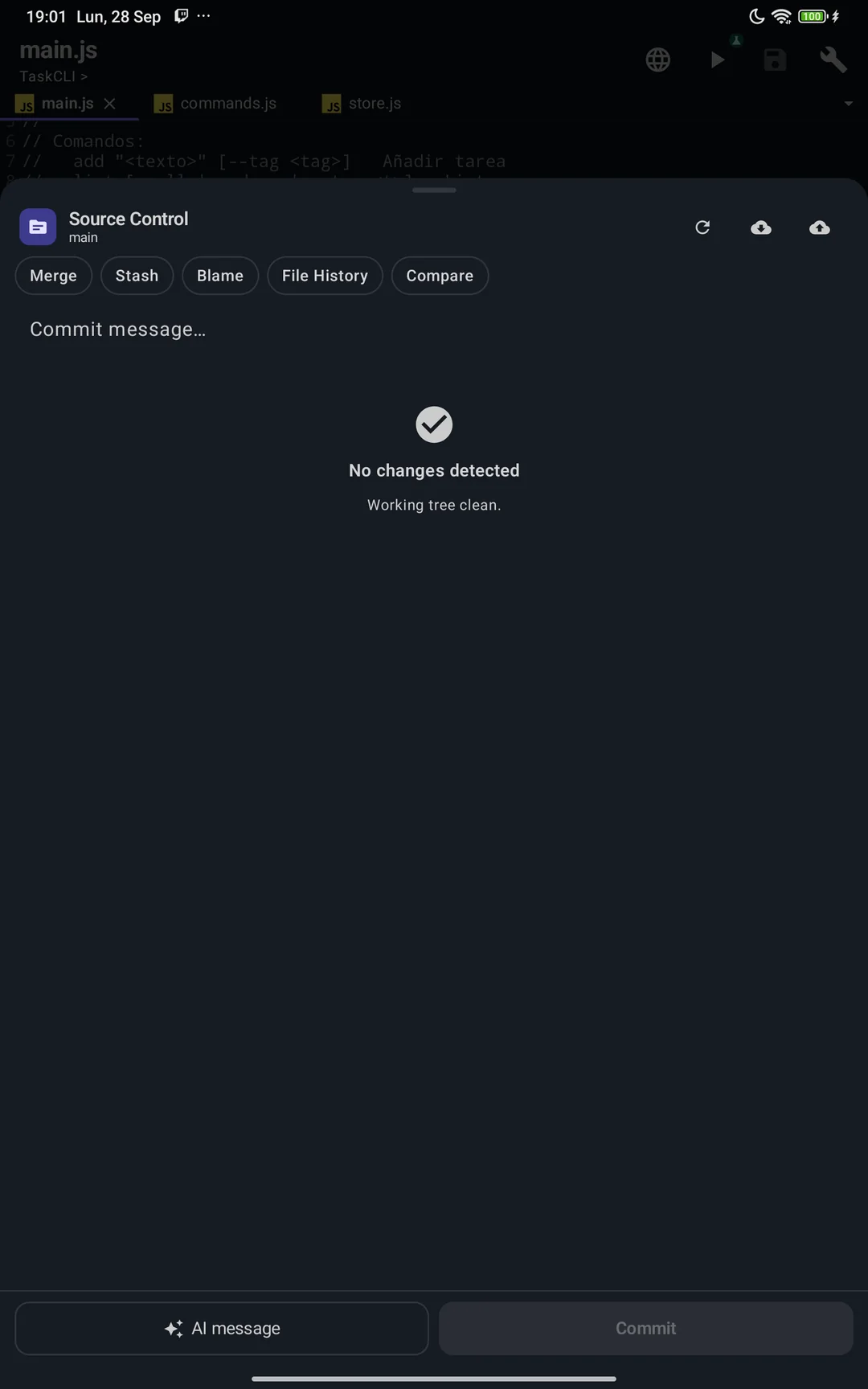
Git and GitHub without leaving the file
Pull requests, CI and a real interactive rebase, right in the editor.
- Pull requests, issues and checks from the GitHub account you connect
- Pick, reword, squash, fixup and drop — with a backup you can restore
- Blame in the status bar, local history and compare with HEAD
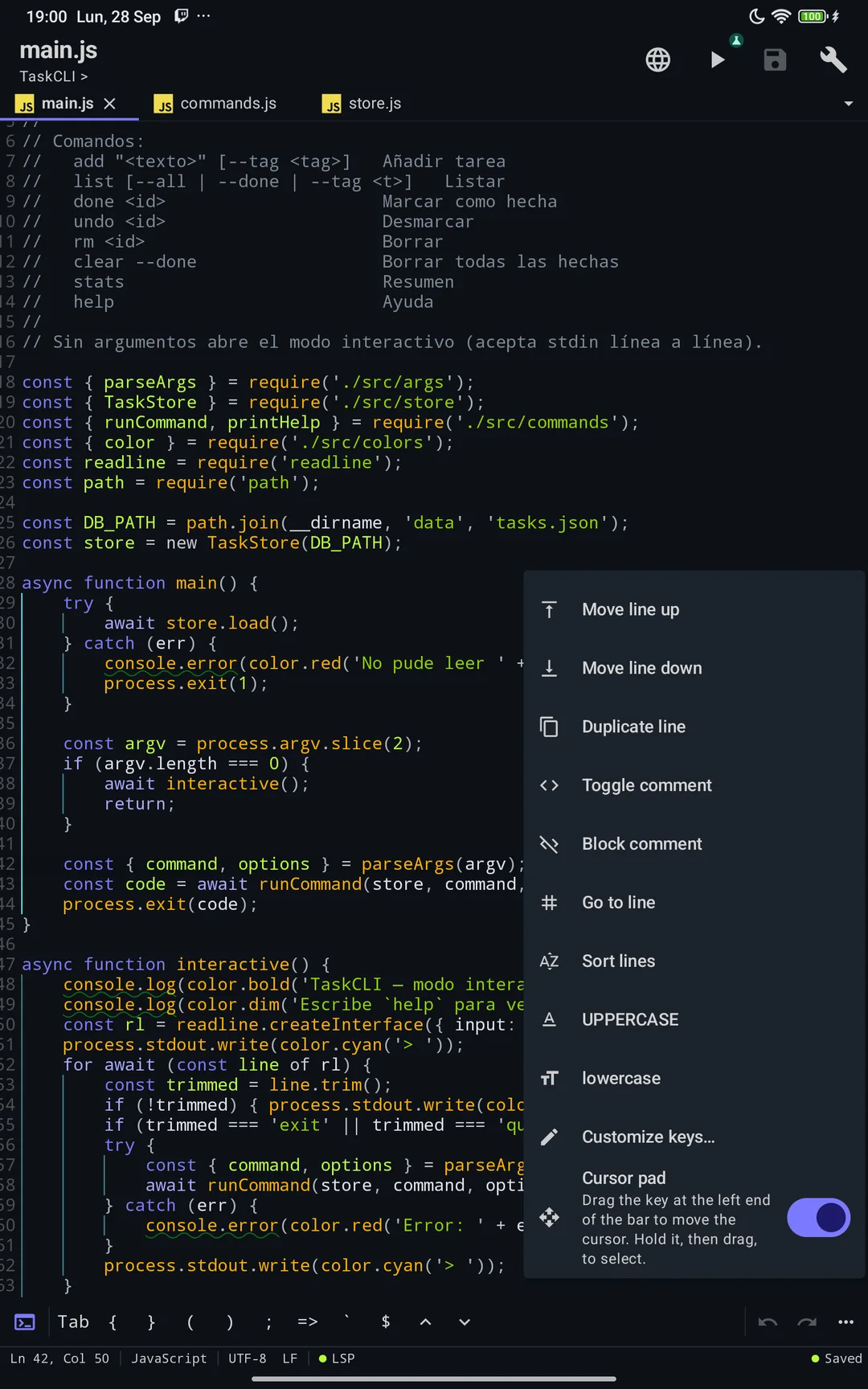
Made for thumbs
A symbol bar for each language and a command key that doubles as a cursor pad.
- Drag the command key to move the cursor; hold and drag to select
- Zen full screen, and landscape that makes room for the keyboard
- Grows with large system fonts; TalkBack labels and F6 navigation
// spec
The spec sheet
plan.free
- ·Every language, formatter and runner
- ·Language servers, Git and GitHub
- ·Local history and live collaboration
- ·Node.js debugger and test runner
plan.premium
- +19 premium themes, and importing your own .tmTheme and VS Code themes
// works with
From the blog
// faq
Frequently asked questions
Can you write and run code on an Android phone?
Yes. PocketCode is a full IDE for Android that runs code on-device: 24 runners covering 22 languages execute programs and tests directly on the phone, with no server; the optional language packs are downloaded once and then work offline.
Does the editor have autocomplete and error checking?
Yes. It ships a Language Server Protocol client (LSP 3.17), so you get real autocomplete, go-to-definition, and live diagnostics with red squiggles under errors — the same intelligence desktop editors provide.
How many programming languages does the editor support?
Syntax highlighting covers 29 languages and on-device formatting 24, with LSP intelligence for 8 (six of them install with one tap). You also get tabs, multi-cursor editing, a structure outline and 200 undo steps per tab, so it handles serious projects, not just snippets.
Does it support multi-cursor editing?
Yes. The editor supports multiple cursors and selections, and 200 undo/redo steps per tab, so you can edit many lines at once and navigate large files the same way you would in a desktop editor.
Does the editor work offline?
Yes. On Android 9 and newer the editor, Git, the runners and debugging work with no connection; language servers and the optional runtime packs are downloaded once and then work offline too. Your code is never uploaded.