
API Testing on Android: A Full REST, GraphQL & WebSocket Client in Your Pocket
Test and debug REST, WebSocket, GraphQL and SSE APIs from your Android phone. PocketCode ships a full HTTP client — auth, scripts, environments, mock server and code generation — built into the IDE.
Update, September 2026: the API Tester now also speaks gRPC, Socket.IO and MQTT, and swapped its old test simulator for a real sandboxed JavaScript engine. See what's new.
An API breaks at the worst possible moment: you're away from your desk, the webhook isn't firing, and your laptop with Postman is at home. On Android, the usual answer is "wait until you're back." PocketCode removes that wait — it ships a full HTTP client built into the IDE, so you can test and debug REST APIs from your phone without a second app or a single line of glue code.
This is not a stripped-down toy. It's a full, professional-grade HTTP client, and it lives right next to your editor, terminal and database manager.
What it can actually do
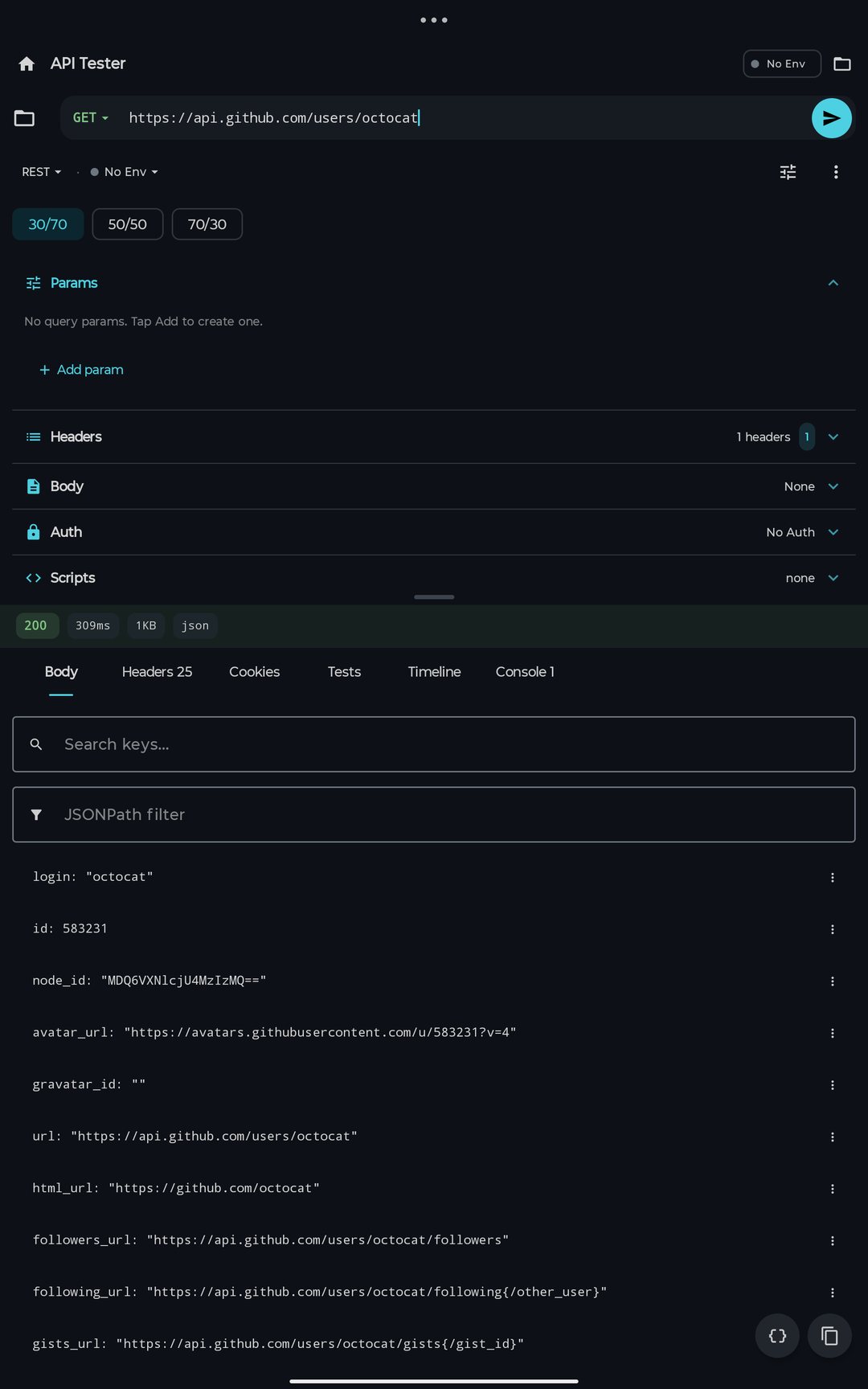
The API Tester speaks seven protocols, picked from a dropdown on the request's context line:
| Protocol | What it's for |
|---|---|
| REST (HTTP) | The classic request/response client — 8 methods |
| WebSocket | Live bidirectional connections (ws:// / wss://) |
| GraphQL | Queries, mutations, subscriptions + schema introspection |
| SSE | Server-Sent Events streams in real time |
| gRPC | Server-reflection discovery, unary calls — no .proto file needed |
| Socket.IO | Listen for and emit named events over the official client |
| MQTT | Subscribe and publish by topic, QoS 0/1/2, with or without TLS |
For REST it covers all eight HTTP methods — GET, POST, PUT, PATCH, DELETE, HEAD, OPTIONS and TRACE — each colour-coded so you can scan a collection at a glance.
Building a request
The request editor is a URL bar, a context line with the protocol and the environment, and the sections as a tab row:
- URL bar — method selector, a monospace URL field, and a Send button that shows a spinner while the request is in flight.
- Params — a key/value editor where every row has an enable/disable checkbox and an active-count badge, so you can toggle query params without deleting them.
- Headers — the same key/value editor, with autocomplete for common headers (Content-Type, Accept, Authorization, Cache-Control, User-Agent…).
- Body — ten body types: JSON (with Beautify / Minify), Form URL-Encoded, Multipart (per-field TEXT or FILE with a file picker), Raw, XML, HTML, JavaScript, Binary (send a raw file), and GraphQL.
Anywhere you can type a value — URL, headers, body, auth, cookies — you can drop
a {{variable}} and it gets interpolated at send time (more on that below).
Authentication, the complete list
This is where mobile API clients usually fall short. PocketCode supports ten auth schemes, split into common cards and an advanced section:
- Common: None, Bearer (token + custom prefix), Basic, API Key (with a choice of Header or Query Param).
- Advanced: OAuth2 (Authorization Code, Client Credentials, Password or Implicit grants), Digest, AWS Signature v4 (access key, secret, region, service, session token), Hawk, NTLM, and a fully Custom header.
If you sign requests against AWS or hit an enterprise NTLM endpoint, you can do it from the phone — no compromises.
Scripts and tests
Two JavaScript hooks run around every request:
- A pre-request script runs before sending — transform variables, compute a timestamp, generate a signature.
- A test script runs after the response, using the widely-adopted
pm.test,pm.expect,pm.responseassertion API.
There's a menu of ready-made assertions so you don't have to write them by hand: status is 200, status is 2xx, response time < 500 ms, has JSON body, body not empty, has Content-Type header, JSON schema validation, body contains string, and array length > 0. A console panel below the editor logs everything at LOG / INFO / WARN / ERROR levels.
Reading the response
The response panel gives you the numbers that matter up top — status code (with a colour by range), total time in milliseconds, body size, and the negotiated protocol plus remote IP. Below that, tabs:
| Tab | What you get |
|---|---|
| Body | Pretty (formatted JSON/XML/HTML), Raw, Preview (rendered HTML), and a collapsible Tree view for JSON |
| Headers | A copy-friendly table |
| Cookies | Rows with Secure / HttpOnly badges |
| Tests | Results from the no-code assertions and the JavaScript test script |
| Timeline | DNS · TCP · TLS · TTFB · content transfer |
| Console | Everything the script logged, at LOG / INFO / WARN / ERROR levels |
You can copy the body, share it, save it, or search inside it with highlighted matches — handy on a small screen.
Beyond REST
- WebSocket connections show a chat-style history of SENT / RECEIVED messages, support custom handshake headers and subprotocols, handle TEXT / BINARY / PING / PONG / CLOSE frames, and offer auto-reconnect plus saved message templates you can fire again.
- GraphQL has a query editor with JSON variables and an optional operation name, a Fetch Schema button that runs introspection, and a schema explorer for types, fields and arguments.
- SSE streams land in a live event timeline (id, type, data, timestamp,
retry) with a filter, auto-reconnect that respects the server's
retry, and Last-Event-ID tracking to resume the stream. - gRPC connects by host:port and discovers services through server
reflection — no
.protofile to import. Only unary calls are supported; streaming methods show up disabled rather than pretending to work. Write the request as JSON, get the response back as JSON. - Socket.IO connects to a namespace, with a toggle for auto-reconnect. Add listeners for named events and emit your own with a JSON payload — every message in the chat-style log is tagged with its event name.
- MQTT connects with or without TLS and with or without a username/password. Subscribe to topics with QoS 0, 1 or 2, publish with QoS and retain, and see messages grouped by topic.
Staying organized
- Collections are hierarchical — collection → nested folders → requests — with search, rename/delete, and a tap to load any request back into the editor.
- History keeps every request you've run, searchable by URL or name, filterable by method or "starred only", and grouped into Today / Yesterday / This week / Older. Star, re-send or delete individual entries.
- Environments manage
{{variable}}sets. Each variable has an initial and a current value, a description, an enabled toggle, an isSecret flag that hides the value, and a scope (Global / Environment / Collection / Local). Resolution goes from most specific to least: any dynamic variable like{{$guid}}first, then a Runner data-file row if one is active, then Collection, Environment, and finally Global. - A persistent cookie jar fills itself from every
Set-Cookieand shows Secure / HttpOnly badges.
Power tools
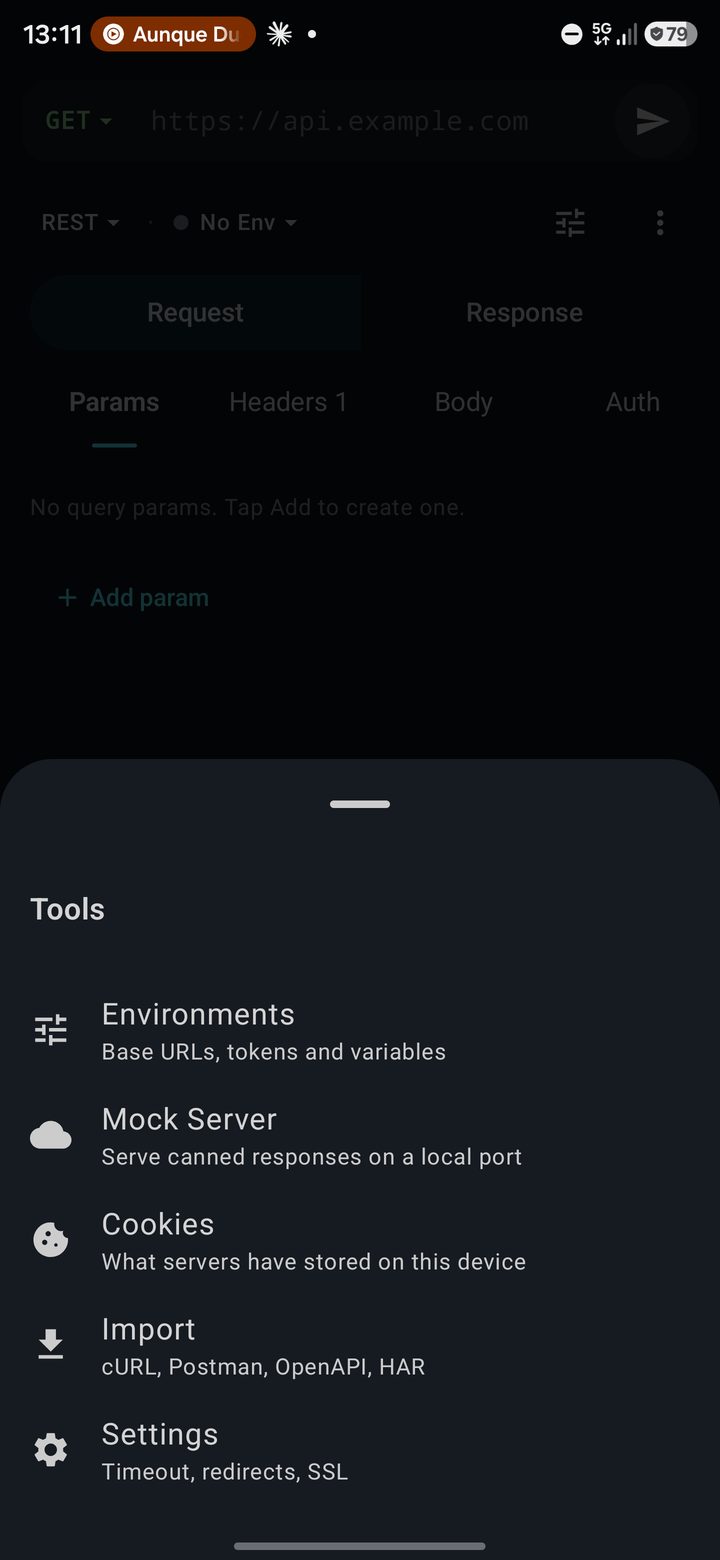
- Import from cURL, Postman v2.1, Insomnia, OpenAPI 3.0 / Swagger (JSON or YAML) and HAR. Export adds Markdown to that list.
- The Code Generator turns the current request into ready-to-paste code for
27 targets — cURL, HTTPie, Wget, Fetch, Axios, Node,
Python
requests, Java OkHttp, Swift URLSession, Gonet/http, PHP, Ruby, C#, Rust, Dart, PowerShell and more — imports, headers, body and auth included. - A local Mock Server (part of the Pro plan) stands up an HTTP server on the
device (default port 8090) where each route defines a method, path pattern
(
/users/:id), status, headers, body and a simulated delay — with a live log of incoming calls.
Your data stays on the device
Collections, history, environments and cookies are stored in a local database on your phone — we never keep your requests or connection data on our servers. For development you can toggle SSL verification off for self-signed certs, route through an HTTP/HTTPS/SOCKS proxy, or attach a client certificate. And because it's part of the IDE, the AI assistant can even see your collections when you ask it about your APIs.
Testing an API used to mean "get back to your computer." It doesn't anymore. PocketCode puts a professional HTTP client — seven protocols deep, from REST to gRPC — in the same app where you write and ship the code.
PocketCode is heading to Google Play. Join the pre-registration to be among the first to try it on your own device.
API Tester