
API Tester
FreePro for Mock Server, Collection Runner and Load TestingProfessional API client built into the IDE. Speaks REST, WebSocket, GraphQL, Server-Sent Events, gRPC (server reflection), Socket.IO and MQTT; manages hierarchical collections mirrored as readable files in the open project, history with response diffing, environments with {{var}} variables, no-code assertions plus a real sandboxed JavaScript engine, persistent cookie jar, local mock server and code generation in 27 languages.
How you move around
Collections and History are screens of their own, not tabs of a shared "Library" — one is what you saved on purpose, the other is what you sent. Neither carries a title bar: you go back with the system gesture.
Start
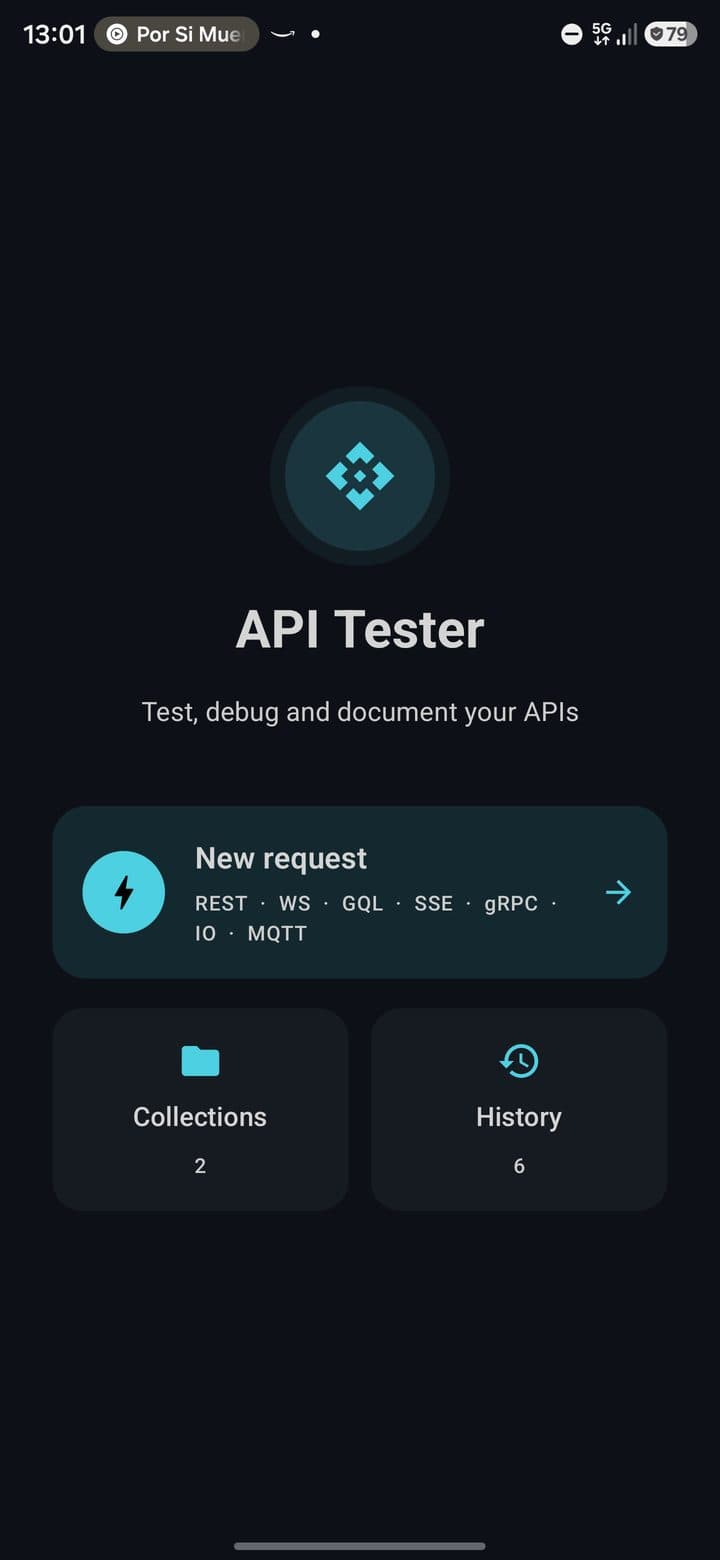
Where the module opens: one primary button for a new request with the seven protocols under it, and two doors — Collections and History — each showing how much you have saved. Anything still connected (an open WebSocket, a live MQTT session) shows up as a chip so it stays reachable.
Request
Active editor for the current request: URL bar, protocol and environment on the context line, then a Request / Response switch with Params, Headers, Body and Auth tabs.
Collections
Hierarchical collections (Collection → Folders → Requests) with search, rename and reorganization. "Save to project" mirrors a collection as readable JSON files under .pocketcode/api/ for Git.
History
History with method and starred filters, date grouping (Today / Yesterday / This week / Older), "Compare with…" for a real response diff, and "Use as mock" to turn any past response into a mock route.
Runner
Batch-runs every request in a collection, with a visible pass/fail report per iteration. Iterate over a CSV or JSON data file, each row bound into variable resolution above Collection scope. Pro.
What it looks like
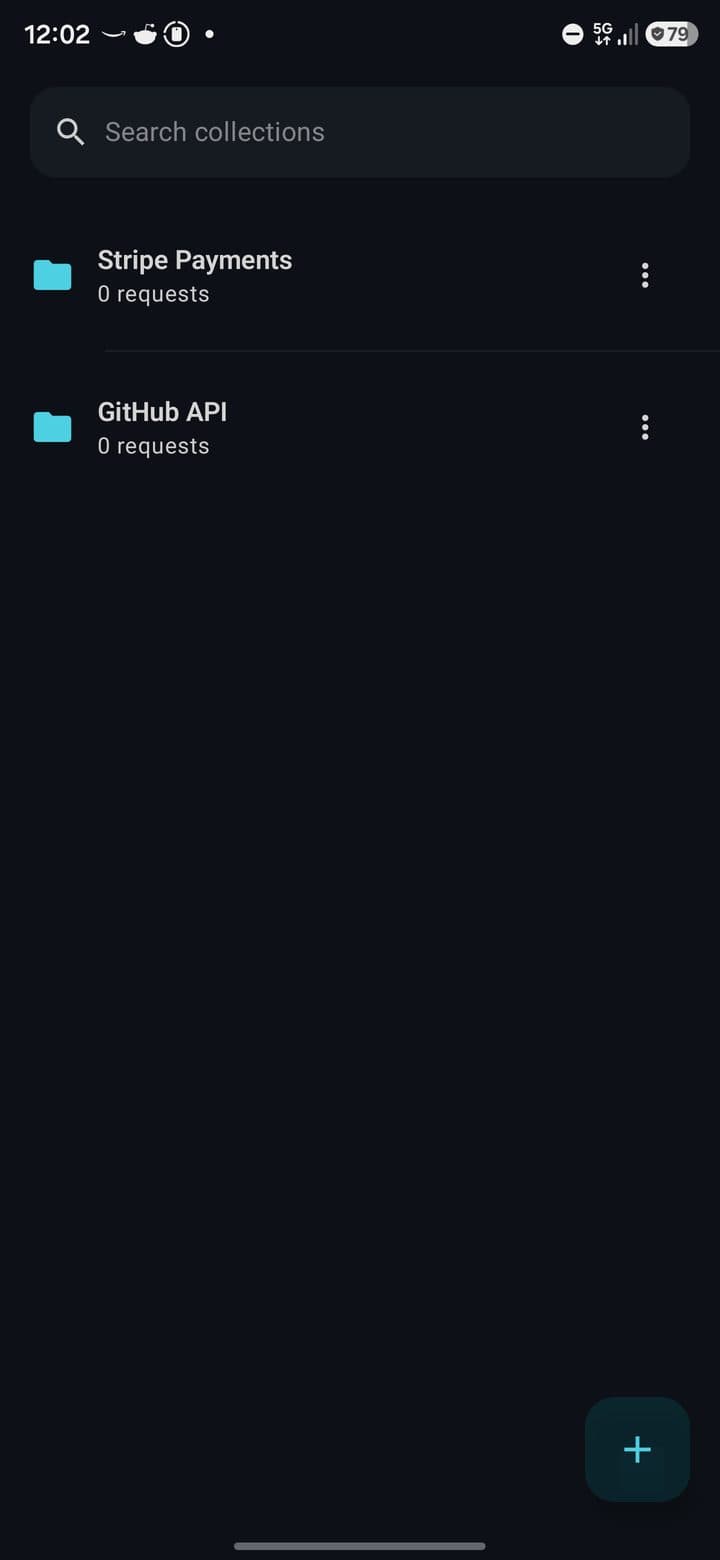
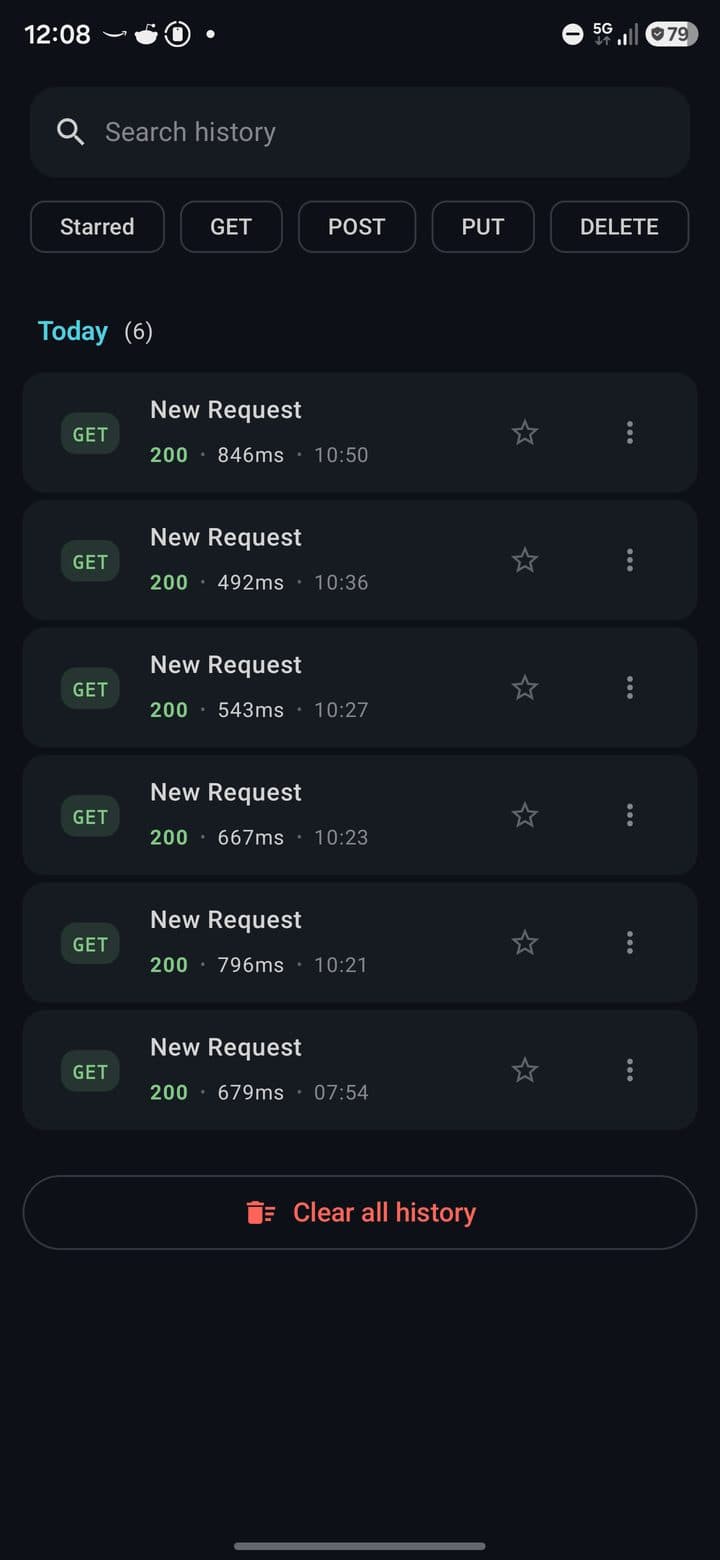
Supported protocols
REST
8 methodsGET · POST · PUT · PATCH · DELETE · HEAD · OPTIONS · TRACE. Color-coded methods. Robust HTTP client with configurable timeouts, managed cookie jar, follow redirects and optional verify SSL.
WebSocket
WSwss:// connection, custom headers, subprotocols. States (CONNECTING / CONNECTED / DISCONNECTED / ERROR). Chat-style history (sent / received). Auto-reconnect and saved message templates.
GraphQL
GQLQuery editor, JSON variables, operation name. Fetch Schema with introspection. Schema explorer (types, fields, arguments). Support for queries, mutations and subscriptions.
SSE
Server-Sent EventsURL + custom headers. Real-time event timeline (id, event type, data, timestamp, retry). Filter by type. Auto-reconnect respecting server retry. Last-Event-ID tracking.
gRPC
reflectionDiscovers services and methods via server reflection — no .proto file needed. Unary calls only (streaming methods show as disabled, never hidden). Write JSON, get JSON back: requests are built as DynamicMessage from JSON, no generated classes or per-field forms.
Socket.IO
eventsConnect with a namespace and auto-reconnect toggle. Add listeners for named events and emit events with a JSON payload — the official socket.io-client-java under the hood. Chat-style log shows each message tagged with its event name.
MQTT
3.1.1 / 5.0HiveMQ client, connect with or without TLS (system default certs) and with or without user/password. Subscribe by topic with QoS 0/1/2, publish with QoS and retain. Messages grouped by topic in the log.
Request editor sections
On a phone the editor is tabs, not an accordion: one URL bar, a context line with the protocol and the environment, a Request / Response switch, and the sections as a tab row. Only the 2 dp indicator under the active tab is tinted — the sections no longer each carry a colour of their own, so colour is free to mean the one thing that matters here: the status of a response.
URL bar
Method chip (8 methods), monospace URL input, send button with spinner, protocol selector (REST / WS / GQL / SSE).
Params
Query parameters with enable/disable checkbox per row, active params counter.
Headers
Common header autocomplete (Content-Type, Accept, Authorization, Cache-Control, User-Agent…).
Body
10 types: None, JSON (with Beautify/Minify), Form URL-Encoded, Multipart (TEXT/FILE), Raw, XML, HTML, JavaScript, Binary, GraphQL.
Auth
10 types with progressive disclosure (see table below).
Assertions
No-code test builder: field (status code, response time, header, JSONPath, body size) + operator (equals, contains, greater/less than, exists) + expected value. Always evaluated, no scripting needed.
Scripts
Real pre-request and test scripts in JavaScript, run in an isolated sandbox process (androidx.javascriptengine) — a script crash never takes the app down. Falls back to a clear console warning on devices without a modern WebView; declarative assertions above still work. Console output with LOG/INFO/WARN/ERROR levels.
Settings
Timeout, follow redirects, verify SSL, enable cookies, encode URL, proxy, client certificate.
Authentication types
Common
None
—
Bearer
Token + prefix
Basic
Username + password
API Key
Name + value + location (Header / Query)
Advanced
OAuth2
Authorization Code · Client Credentials · Password · Implicit
Digest
realm · nonce · algorithm · qop · opaque
AWS Signature v4
accessKey · secretKey · region · service · sessionToken
Hawk
authId · authKey · algorithm · ext
NTLM
username · password · domain · workstation
Custom
Free name + value
Response panel
Empty / Loading / Success / Error states. Header with status chip color-coded by range (2xx green, 3xx blue, 4xx orange, 5xx red), time, size, protocol and remote IP.
- •Body with Pretty (formatted JSON/XML/HTML), Raw, Preview (rendered HTML) and Tree (collapsible JSON) views
- •Timeline with DNS · TCP · TLS · TTFB · Content transfer
- •Tests shows the results of both the declarative assertions and the JavaScript test script
- •Search inside body with match highlighting and jump to top/bottom
- •Copy, Share, Save response, Redirect chain with each URL and status
- •Compare with another response from History: line-by-line body diff plus a header diff
Environments and variables
Variables interpolated with {{var}} syntax in URL, headers, body, auth and cookies. Each variable has a scope (Global / Environment / Collection / Local) and can be marked as secret to hide the value.
Multi-environment
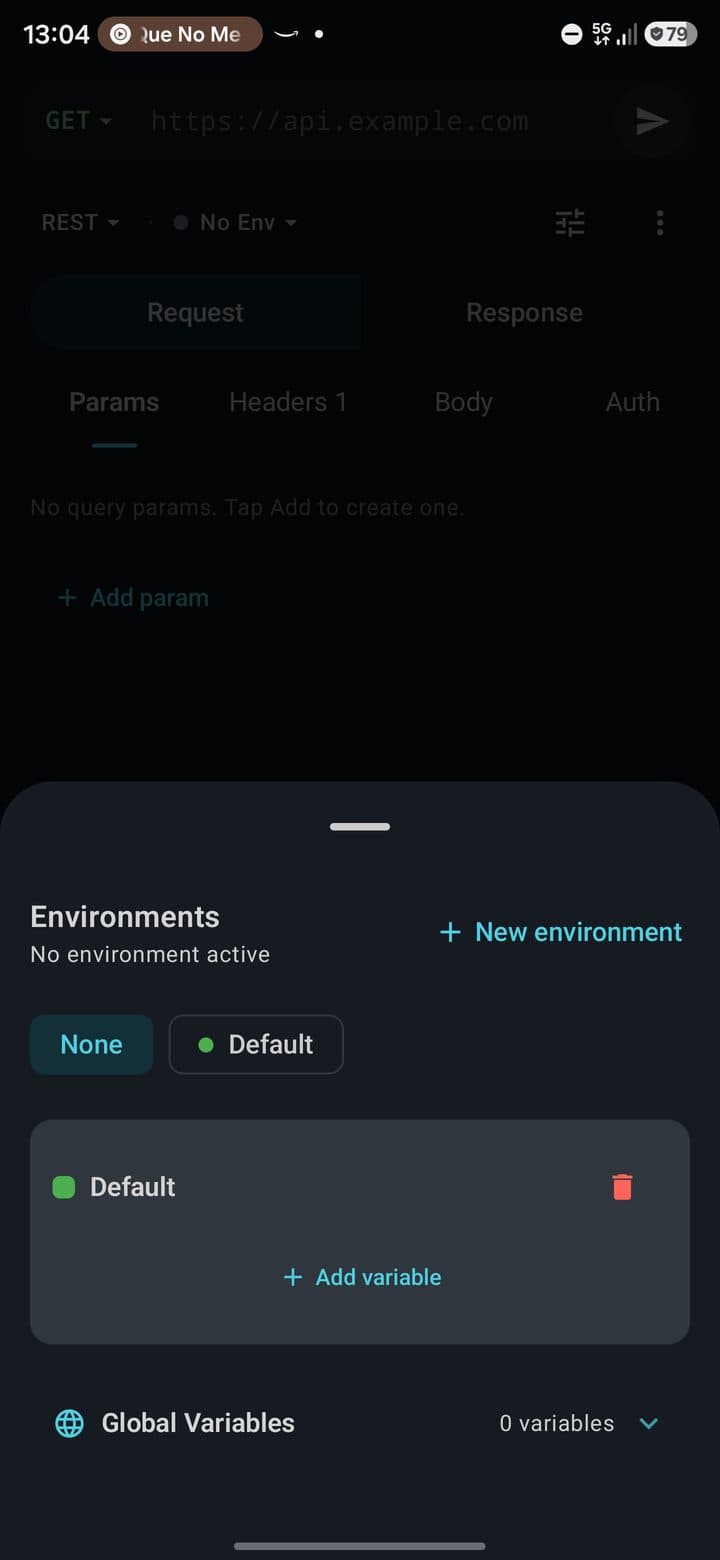
Create / delete / activate environments. Only one active at a time.
Globals
Global variables visible from any environment.
Secrets
Variables marked as secret hide their value in the UI, in logs, and when exported (cURL, code snippets).
Dynamic variables
{{$guid}} · {{$timestamp}} · {{$isoTimestamp}} · {{$randomInt}} · {{$randomEmail}} · {{$randomFirstName}} · {{$randomLastName}}
Resolution precedence
Dynamic > Runner data row > Collection > Environment > Global
Free: 1 environment. Pro: unlimited.
Collections as project files
"Save to project" mirrors a collection as one readable JSON file per request under .pocketcode/api/<collection-slug>/ inside the currently open project — the same repository the code editor already has open. Room stays the source of truth: exporting regenerates the whole directory from Room, and importing shows a preview (new collection, or exactly how many requests would be replaced) that you confirm by hand before anything touches the database. Nothing is committed automatically — commit the files with the app's own Git manager to keep the change, same as any other file in the project.
.pocketcode/api/<slug>/*.json
One readable file per request, named and slugged from the request name. Reviewable in a pull request, diffable like any other file in the repo.
Import preview, always
Shows whether it's a new collection or a replacement, and the exact request count, before writing to the database.
Mock Server
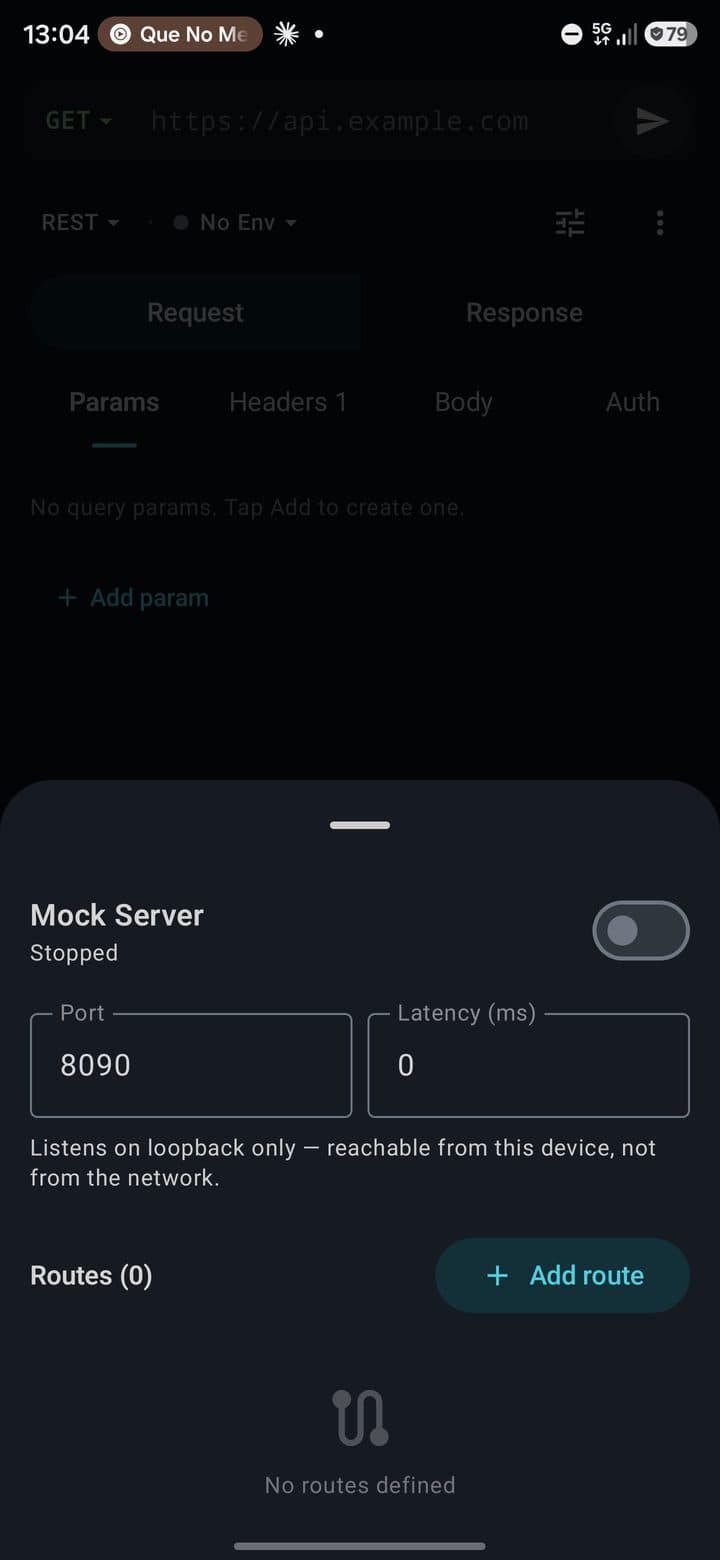
ProLocal HTTP server on device (port 8090 by default) with CRUD of mock routes. Each route defines method, path with patterns (/users/:id), status code, headers, body, simulated delay and matching priority.
- •Toggle ON/OFF the server from the sheet
- •Log of incoming requests (method, path, matched route, status, timestamp)
- •Configurable latency per route
- •Arbitrary response headers and body
- •Generate routes straight from an imported OpenAPI document
- •Record any response from History as a mock fixture with one tap
Code Generator — 27 targets
Convert the current request into ready-to-paste code. Each output includes imports, headers/body/auth setup and basic error handling.
Import / Export
Import
- • cURL
- • Postman v2.1
- • Insomnia
- • OpenAPI 3.0 / Swagger
- • HAR
Export
- • cURL
- • Postman v2.1
- • Insomnia
- • OpenAPI 3.0
- • HAR
- • Markdown
The cURL converter is bidirectional: parses -X, -H, -d, --data-urlencode, -F, --data-binary, -u, --digest, --ntlm, --proxy, --connect-timeout, -k, -L, --max-redirs flags.
Tool sheets
All of them open fully expanded, never half-way: these are a tool's whole form, not a peek at something. None has a close button — the drag handle, the scrim and the back gesture already do that, and the corner is worth more as the sheet's real action.
Environments
Environments and variables with interpolation
Cookies
Persistent cookie jar with Secure/HttpOnly badges
Import
Import cURL, Postman, Insomnia, OpenAPI (JSON and YAML), HAR
Code Generator
Generate code in 27 languages
Mock Server
Local HTTP server with mock routes (Pro)
Settings
Timeout, redirects, SSL, cookies, proxy, cert
Tools
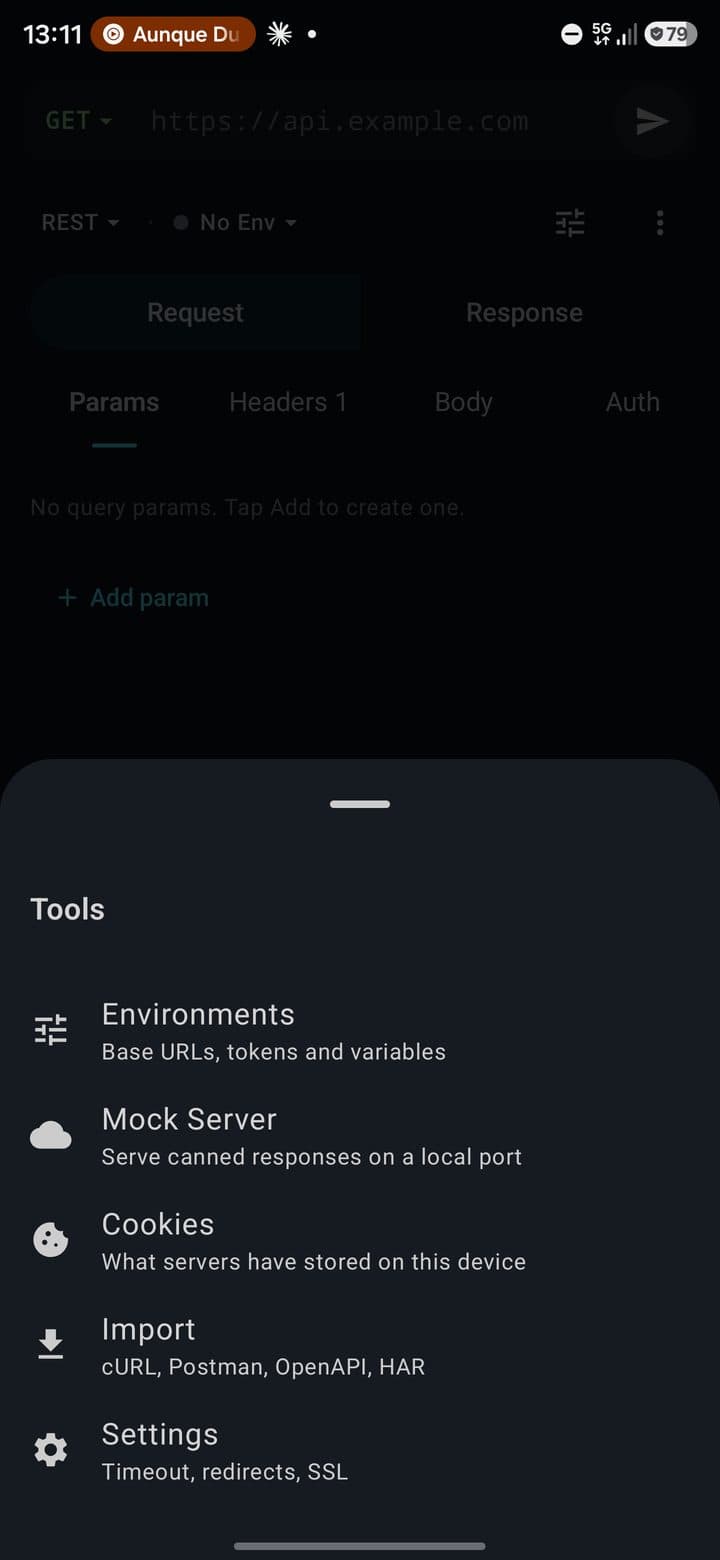
The button next to the environment selector. Opens the five below — Environments, Mock Server, Cookies, Import, Settings — each with a line saying what it holds and, on the right, its live state: the active environment, the mock port, how many cookies you are carrying.
Free vs Pro plan
| Feature | Free | Pro |
|---|---|---|
| REST / WS / GraphQL / SSE / gRPC / Socket.IO / MQTT protocols | ✓ | ✓ |
| Full editor (params, headers, body, auth, assertions, scripts) | ✓ | ✓ |
| Full response panel (tabs, timeline, tests, diff) | ✓ | ✓ |
| Cookie jar | ✓ | ✓ |
| Import (cURL, Postman, Insomnia, OpenAPI, HAR) | ✓ | ✓ |
| Collections as project files (.pocketcode/api/) | ✓ | ✓ |
| Code generator (27 targets) | ✓ | ✓ |
| Collections | 1 | Unlimited |
| Environments and variables | 1 | Unlimited |
| Request history | Limited | Unlimited |
| Mock Server | — | ✓ |
| Collection Runner (data files, batch execution) | — | ✓ |
| Performance / Load testing | — | ✓ |
Module statistics
7
Protocols
8
HTTP methods
10
Body types
10
Auth types
7
Tool sheets
27
Code-gen targets
6
Response tabs
7
Dynamic variables
Next
Database