
Cortex: Stop Being the Index of Your Own AI Chats
A new PocketCode mode where you talk to a coordinator instead of an assistant: it splits your work across specialized chat sessions that stay alive for weeks, and hands back grouped decisions instead of scattered interruptions.
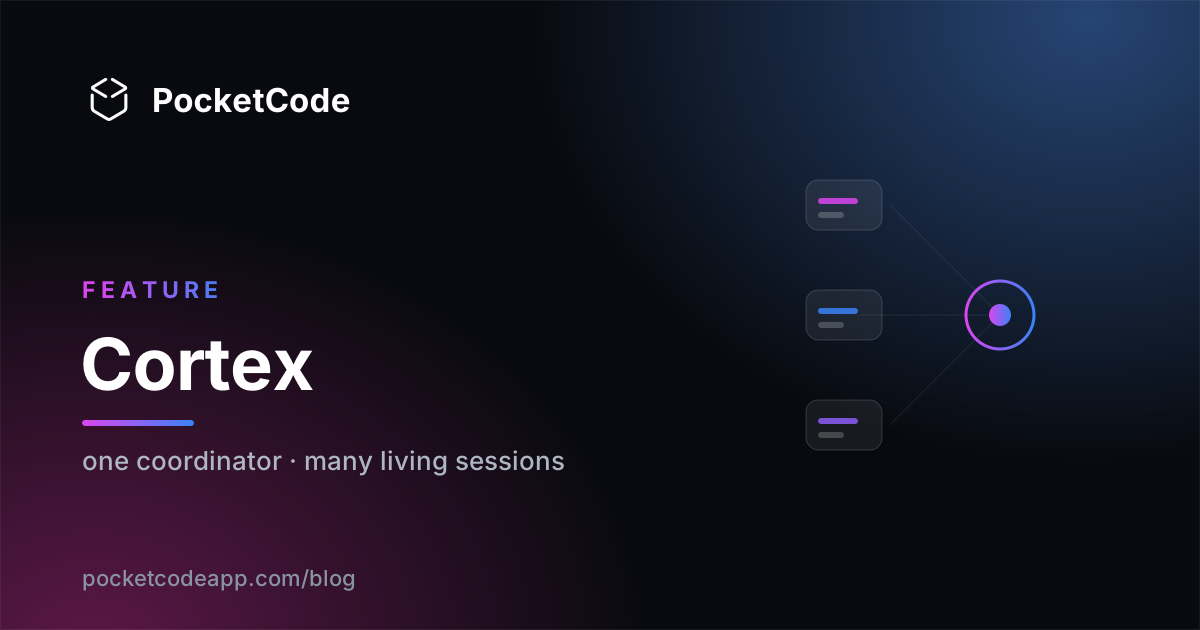
Use an AI assistant to code for a few weeks and you end up with the same condition: a pile of conversations, and one person who knows what's in each one — you.
The settings screen context lives in Tuesday's chat. The database migration was discussed in another. The one about tests is half finished. Every new task now starts with a decision that produces nothing: which conversation do I go into? Get it wrong and you pay for the context again — literally, because every repeated explanation is tokens out of your pocket.
You were doing the filing. Cortex is that job, done by the app.
One sentence
Cortex is a new mode of PocketCode's AI chat where you stop talking to an assistant and start talking to a coordinator: you hand it work, it splits it across several specialized conversations that run at the same time without stepping on each other, and it hands back decisions in groups instead of interruptions one at a time.
The idea underneath: an agent is a conversation
This is the part worth reading twice.
In most "multi-agent" systems an agent is a one-shot call: it's born with an instruction, does its thing, and dies. It remembers nothing. Tomorrow you explain the project again.
In Cortex, every agent is a full, living chat session — its own history, its own memory, its own tools, its own model and its own provider. Exactly like a normal conversation in the app. The only difference is who it takes orders from: it doesn't receive your messages, it receives tasks from the coordinator, and it answers to the coordinator.
The practical consequence is the one that sells the mode: the agent that handles your UI has been handling it for weeks. It knows what you call things, what you decided in July, and why you dropped the other option. Nobody needs bringing up to speed.
And you can walk into any of those sessions whenever you like. It's a real conversation, readable end to end, and in there you can write to it directly. It is not a black box.
Where it fits: it doesn't replace anything
PocketCode already had two things in this neighbourhood, and all three coexist:
| Unit of work | How long it lives | What it's for | |
|---|---|---|---|
| AI Office | a whole project | one session, then it ends | generating a project from zero, in one go |
| Swarmcode | one turn of one chat | dies with the turn | one heavy task, many anonymous eyes |
| Cortex | a conversation with context | days, weeks | your ongoing work, split by topic |
Cortex covers the gap of continuous work — which is where most real time gets spent.
How it works
It's a switch, and it changes the whole screen
Not another entry in the chat's mode picker. It's changing gear: the chat screen is replaced by the Cortex screen. One tap gets you out, and you land back in exactly the conversation you were looking at.
The first time, there's one welcome screen, where you pick your autonomy level. Not three adjectives — each option comes with a concrete example of what Cortex would decide on its own.
You hand it work in plain language
The text box always talks to the coordinator. That's a guarantee, not a detail: you never message an agent by accident. Things like "this one's for the UI agent", "don't touch dark mode" or "leave that, I'll do it myself" are ordinary messages the coordinator reads and routes.
It splits the work, and shows you the split
Before spending a cent, the coordinator breaks the job down, decides which piece belongs to whom, keeps two agents from writing the same file at once, and orders whatever depends on something else. Then it says so in one readable line:
"Splitting this in two: the screen goes to the UI agent, the endpoint goes to the backend agent. They don't overlap."
With a link to the full plan if you care.
The detail that earns trust: task-to-agent matching is resolved first with local logic, on the phone, without calling any model. When it resolves that way, the app says so explicitly — 0 tokens. The coordinator thinking should not cost you money by default.
If no agent fits, it asks before working
"For this I have the layout agent, but it doesn't do refactors. Shall I create a UI-refactor agent with these tools and this model, or run with the layout one?"
Two cushions so the question doesn't cost you time: the recommended option is
already selected — one tap and it moves on — and the proposed agent's card is
expandable, not a form. Name, model, tools and scope in plain sight; you only
touch it if you want to change something. There's a full agent creator too, on a
+ button that's always visible.
What you see 20 minutes later
By design, this is the screen that decides whether the mode is any good — not the one showing work in progress, the one you open on the bus. Three things, in this order:
- A header: "2 things are waiting for you" — sorted by how much work each one unblocks, not by age.
- A compacted summary: "UI refactor · 4 files · 2 decisions I made myself · 1 subtask for backend". Each chunk expands.
- The full feed underneath, for whoever wants to read all of it.
If you'd left the app, a notification arrives with that same text.
The agent strip
Below the bar, a horizontal strip with one card per living session. Tapping one walks into its conversation. Three colour bands and nothing else:
| Colour | Means |
|---|---|
| Lime | running on its own, do nothing |
| Amber | waiting on you |
| Grey / red | asleep / broke |
A small design decision explains the philosophy well: queued is labelled queued and gets no spinner — but it's shown in lime, because it isn't waiting on you, and that's the only question the colour answers.
A hard self-imposed rule: zero mandatory actions in the strip. Everything can be done from the conversation with the coordinator. The moment something can only be done by entering an agent, the mode turns into staff management — which is precisely the job it came to take off your hands.
Questions arrive grouped, not dripping
An agent's question doesn't fire off immediately. It's held until the first of three things: the agent runs out of other work, about 45 seconds pass with no further questions, or the agent produces its result — so the question and the thing you need to look at to answer it arrive together.
Sensible exception: if the agent is blocked and you're looking at the screen, it asks now. Making you wait 45 seconds with the phone in your hand, in order to "group", would be the caricature of the idea.
The block's format: result on top, questions underneath, each with its recommended answer pre-selected and a "you decide" always available. Answering the whole block is a single button.
Everything it decides on its own is visible and reversible
No automatic decision is silent. It's shown, explained, and undoable:
"I decided this one: keep the current design system. Because you chose the same on 3 and 7 August." · No, ask me → reverts, deletes the precedent, and asks again in place.
There are two autonomy levels, not three, with names that mean something: Manual and Smart. Manual always asks. Smart reuses what you already decided for the same question. You change the level from inside the mode, while you're looking at what Cortex just decided — not three screens away.
An honesty note about how we work: there was a third level and it was cut before release, because on review it did exactly what the second one did. A setting that changes nothing is worse than not having it — especially on the screen where you're telling someone this costs money.
When something breaks
An agent that fails can't sit there saying "on it". Its card says what was tried, what it failed with — the real message, not a generic category — how much you've spent, and offers three exits: retry, give it to another agent, or I'll do it (that last one opens the normal chat with all the context already loaded).
Same with budget: if the mission isn't going to make it, you're told before it's all spent.
It proposes the close, you confirm it
At the end: what got done in two lines, what each agent touched, and an amber warning about anything touched outside what it said it would touch. You accept or discard per agent: "keep the UI agent's work, drop the test agent's", without reviewing diffs by hand.
Leaving doesn't cancel anything
The agents keep going. Killing work you've already paid for, without warning, was ruled unacceptable from day one. The strip stays visible, small, inside the normal chat, one tap away. And there's a red stop-everything button always in sight, plus per-agent stops.
You can promote a chat you already have
In any existing conversation's menu: "Turn into agent". It keeps its history and its context, you give it a name, tools and scope — with values inferred from what's already inside — and it starts receiving tasks from the coordinator.
That's the cheap way in: on day one you already have agents with context you paid to accumulate, instead of an empty roster staring at you.
What's underneath, without the jargon
Every agent works in its own isolated space. They share no state. That wasn't architectural taste: implementing it surfaced and fixed a real bug already in production with a single chat — the terminal refused commands unless another mode had started first.
Never two agents writing the same file at once. The split serializes by file scope. And we're just as clear about where that protection ends: it covers the mission's agents. It does not stop you editing that file by hand at the same time. No coordination layer can prevent that on its own, and promising otherwise would be a lie.
The plan the model produces is validated before anything runs. A model will write circular or invented dependencies without blinking; finding that out mid-execution means finding it out with the money already spent. If part of the plan is impossible, the mode says so and continues with the rest instead of hanging.
Five communication tools between agents. An agent can ask who else is working and on what; what just finished in the mission and how; what the user has already decided, so it doesn't re-ask; escalate something outside its scope; and hand off — in a structured way — what the next one needs to know.
And two we deliberately did not build — probably the most interesting detail here:
- An agent can't assign work to another by name. That would be a permissions hole and a loop factory at once: if the docs agent — read-only — can assign work to the backend agent, it effectively has the backend agent's permissions, and per-agent limits are decoration. On top of that, two agents talking to each other can take turns until the budget is gone with nobody watching. Instead, an agent describes the need and the coordinator picks the recipient: one control and audit point.
- An agent can't read another's full conversation. It's expensive and it's an attack surface: a transcript carries project files inside it, and a project file can carry text written to manipulate the model. One-line summaries are given instead, and whatever arrives from another agent is marked as data, not as instruction.
It all goes through the same permission gate as the rest of the app. Session to session communication was implemented as tools precisely so it couldn't become a side channel around the controls.
The money, in the open
PocketCode runs on your own AI provider key — BYOK. You pay for every token. A mode that puts a coordinator between you and the work is obliged to show what that indirection costs:
- The bar carries the mission's spend.
- Each session carries its own.
- The coordinator's own spend is separate and labelled, so you can judge whether the indirection pays for itself.
- Estimates are marked with "~". No figure in euros is ever invented.
- When matching was resolved on the phone with no model call, it shows 0 tokens.
There's also a default limit of 2 fronts of work at a time, adjustable. It's a limit on your attention, not a technical one — and no new front opens while there are unanswered decisions, so the pile can't grow faster than you empty it.
The yardstick we set ourselves
This was written in the design document before the first line of interface:
Cortex is an indirection: there's someone else between you and the work. It only pays for itself if it takes work away from you. The metric isn't how many agents you can see, it's how many times the app interrupts you to finish the same task, and what each interruption costs.
And the condition attached: if across three real tasks the interruptions don't go down versus the normal mode, the mode doesn't ship.
The five interface rules:
- Never ask twice what fits in one question.
- Never ask before there's something to show — the question travels with the result.
- Every question arrives with an answer pre-selected: one tap = carry on.
- Nothing stalls for want of an answer if there's another road: the agent parks that branch and continues down another.
- No automatic decision is silent: it's shown, explained and reversible.
And the anti-goals — what we decided not to do:
- No names and faces for agents. They're identified by what they do. Giving them personalities is asking you to get attached to a template.
- No org chart. Nobody is hired, fired or promoted.
- An agent's session is not where you work. It exists to read and debug. If you end up living in there, the mode has failed.
- No Kanban board. AI Office already has one.
- Zero infinite animations. Our own precedent: an earlier panel in the app reached around 92% CPU at rest for exactly that.
- Zero back arrows. The app navigates by gestures; that's project policy.
Small things that say a lot
- Its own mark. Cortex started out with Swarmcode's icon. It got its own: two different modes sharing one symbol are one mode with two names.
- Its own model. Every agent chose its model; the only one that didn't was the coordinator. Now it does: its job doesn't look like an agent's — it doesn't write code, it reads a brief and decides who does what — so it can take a cheaper model, or the best one, as you prefer. By default it inherits the chat's, so anyone who touches nothing won't notice it exists.
- Its own conversation, one per project. Not one per mission: what it accumulates is the index of your work, and that index doesn't end when a mission does.
- Five interface languages from day one — around 250 new strings.
- All of it on a phone. There's no server behind this coordinating: the split, the memory of decisions and the isolation between agents all run on the device.
Where it stands, honestly
Built, compiled, over a thousand automated tests green across ten modules — run with caches disabled and previous results deleted, because a build system that reuses old results will tell you "all good" without having run anything. The database migration and cascade deletion were verified on a real phone with instrumented tests, not deduced from the code. And the mode went through a deliberately adversarial gap review before being called done.
What we won't claim: it hasn't been through daily real-world use yet. This is the first version of a mode we've been designing for months, not the way we already work. There's no release date here on purpose — same as with the alpha, we'd rather deliver than promise.
Two things worth stating plainly:
- Cortex is a paid feature, with a trial of 3 complete missions. They're consumed on completion — a mission that fails halfway doesn't cost you a trial.
- It needs an AI provider configured with your own key. No key, no mode. Same as the rest of the chat, but it's worth saying.
The interesting question in a multi-agent system isn't how many agents you can launch. It's who's keeping the index — and whether the thing in the middle is earning its keep.
PocketCode is heading to Google Play. Join the pre-registration to get the launch notice before anyone else, or take a look at the roadmap.
AI Assistant