
Database
PocketCode ships a real PostgreSQL 18.2 that runs inside the app, with no server and no account to set up. Around it: a SQL console with an AI assistant in the editor, a data viewer you can edit, backups and restore, an execution plan, an ER diagram and a schema designer. The same module also opens your PostgreSQL, MySQL and cloud databases.
What you can connect
The database module handles three kinds of database. How much you can do depends on the kind.
| Database | What works |
|---|---|
| PostgreSQL on the phone (Local PostgreSQL) | Everything on this page: tables, data editing, SQL console, AI, backups and restore, engine settings, extensions, monitor, ER diagram. Needs a 64-bit ARM phone. |
| Your servers: PostgreSQL, MySQL / MariaDB | Save the connection with SSL and an SSH tunnel, test it, and open it to browse and edit its tables, create new ones, draw its ER diagram and run SQL from the console. |
| Cloud accounts: Neon, Supabase, PlanetScale, Turso, Cloudflare D1 | Connect the account in Settings → Integrations → Connected services, then pick a project and its database. Neon, Supabase, Turso and D1 run SQL through the provider's API; Neon can also connect directly over JDBC with its connection string, for the full SQL console. |
| MongoDB Atlas and Upstash | Connect Atlas with a service account or an API key, and Upstash with your platform token, then pick a cluster or database. Opening an Upstash database connects as a real Redis database, not through its management API. |
| MongoDB and Redis servers | Collections with document counts for MongoDB; a key browser, CLI and monitor for Redis. |
| Cloud Firestore | Browse by collection path and query with filters, using your own Firebase project. |
Open the module
The module lives in the tools sheet, like the terminal and the designer.
- 1Tap Tools in the bottom bar.
- 2Tap Database. You land on the start screen.
- 3Tap Local Database to start PostgreSQL and open its tables, or My Connections for everything else.
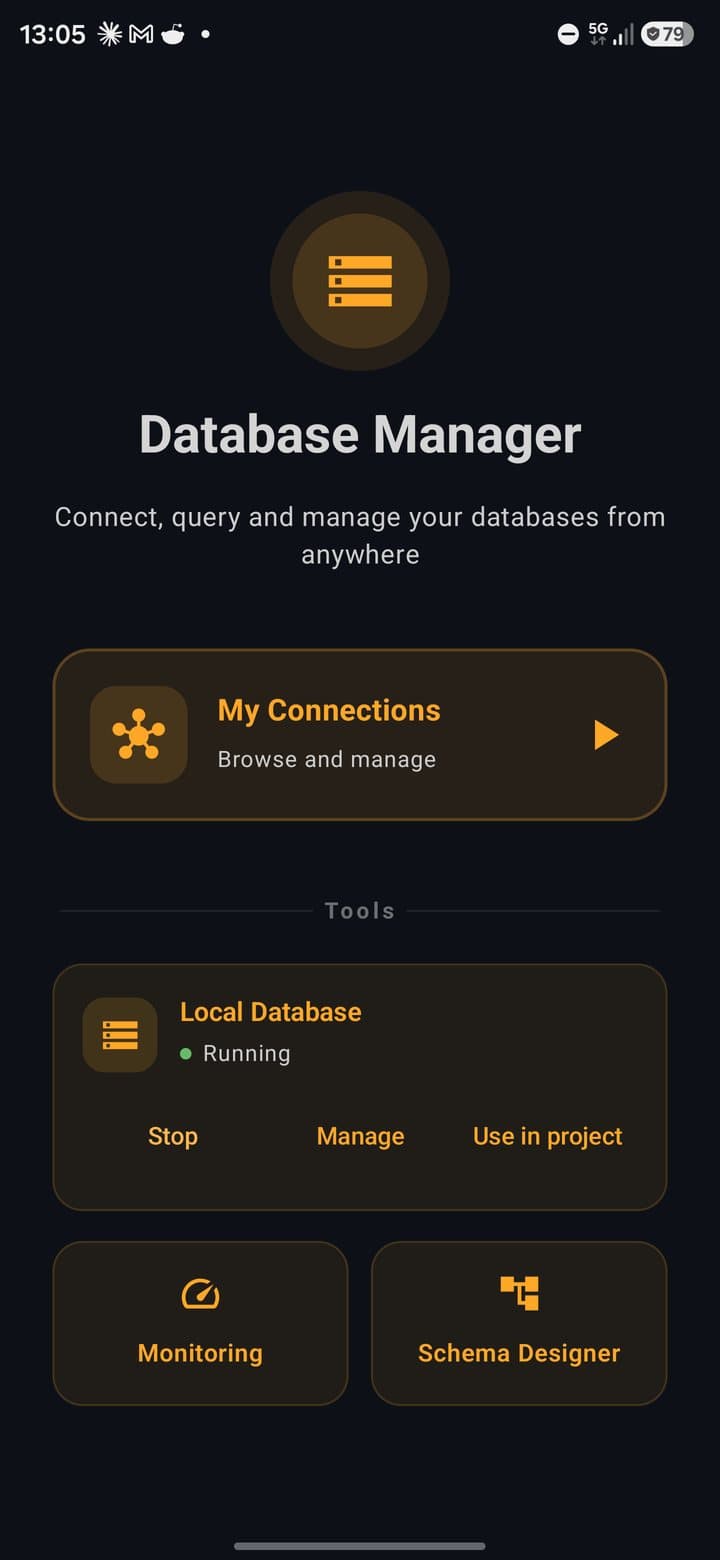
The start screen
My Connections
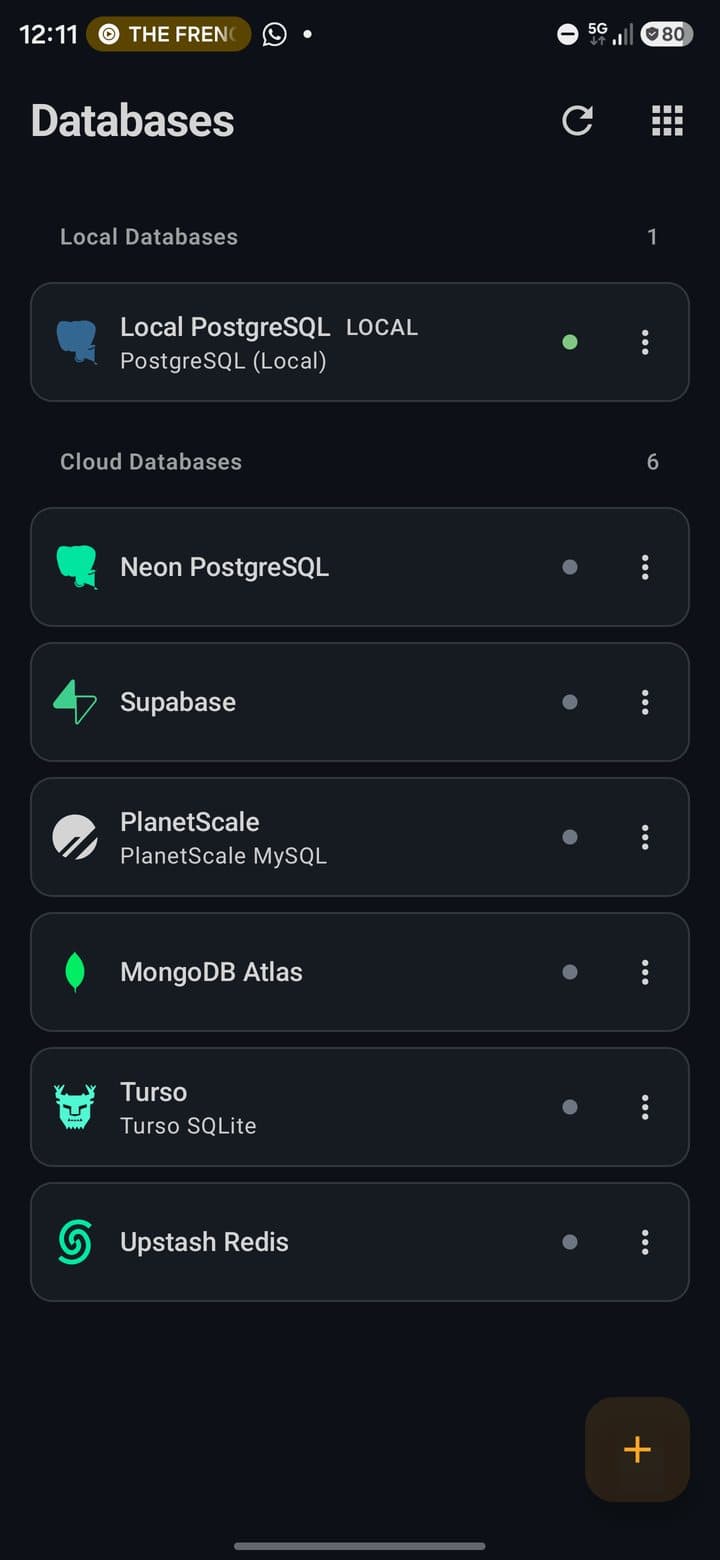
The list of connections: the local engine first, then your cloud accounts and the servers you added.
Local Database
The engine card. It shows Running or Stopped, and has Start / Stop, Manage (the engine screen) and Use in project (the connection URL).
Monitoring
Latency, sessions and the queries this app has run.
Schema Designer
Design tables on a canvas and generate SQL or ORM code. It needs no connection.
Moving around
- Back is the Android back gesture. It retraces your path one screen at a time, and on the start screen it closes the module. There are no back arrows.
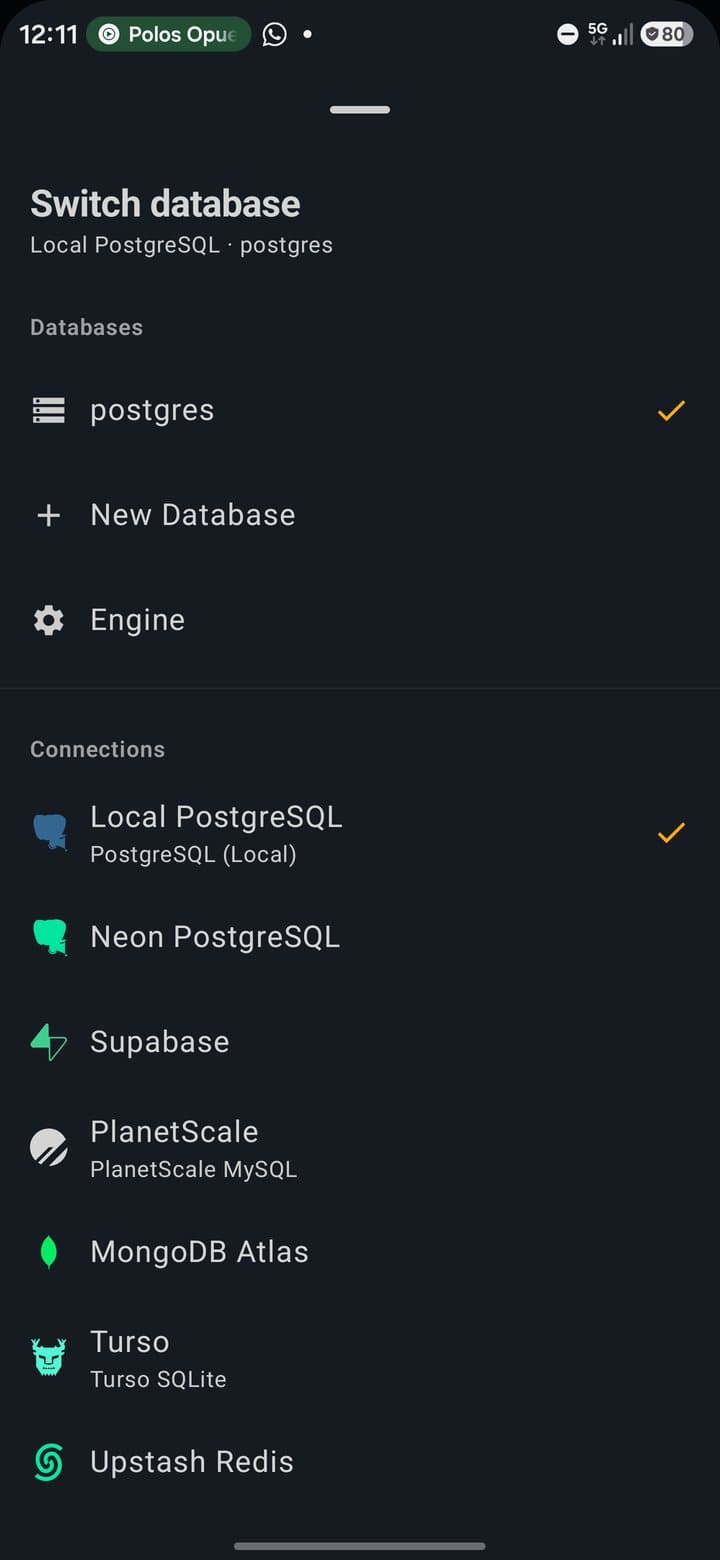
- The title is a switch. Tap it (the ▾ next to it) to change database, open Engine, create a New Database or jump to another connection. All connections opens the full list.
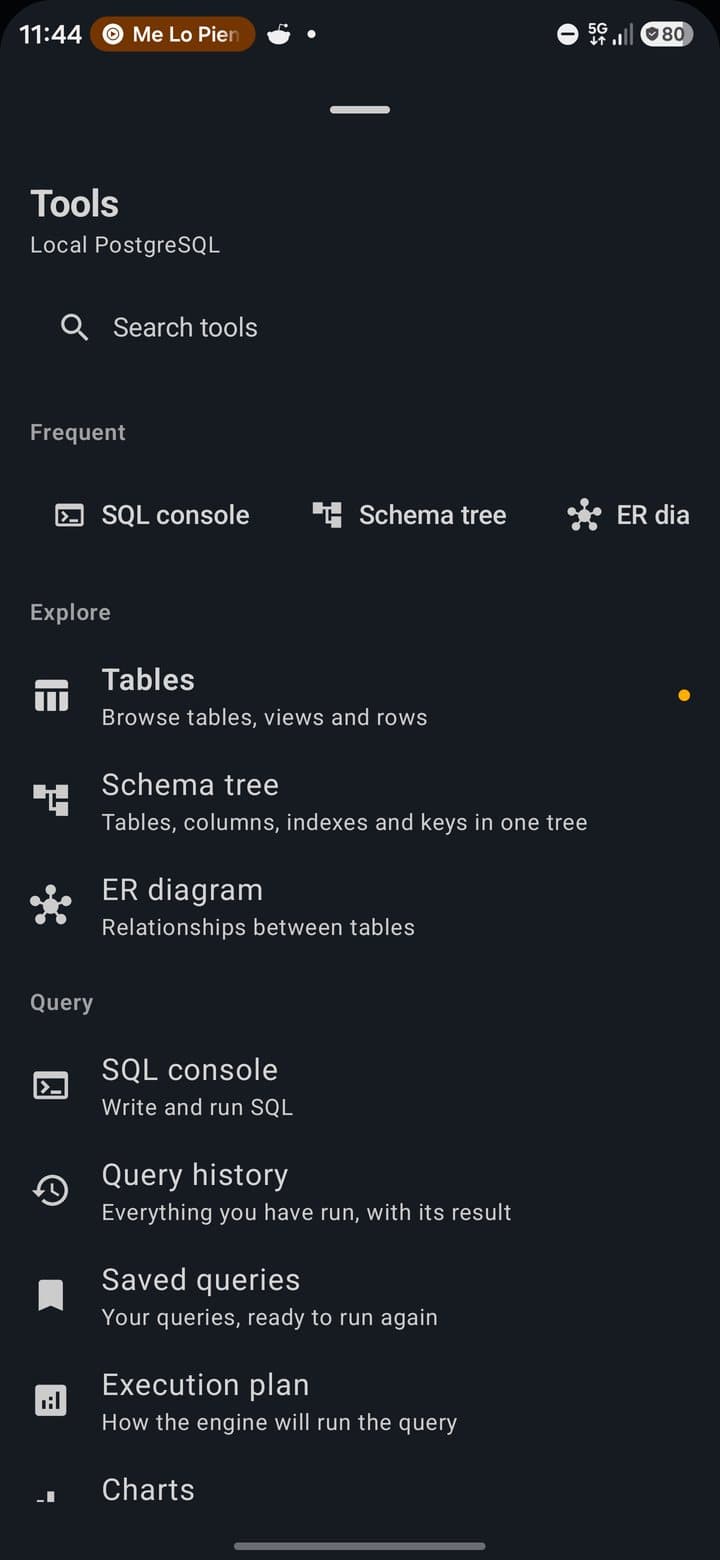
- The grid icon at the top right opens Tools: every tool that makes sense for the open connection, grouped into Explore, Query, Design, Data, Server and Security, with a search box.
- The subtitle says which database is open and whether the engine is running, for example
postgres · ● Engine running.
Phone, landscape and tablet
| Phone, portrait | One screen at a time. The console switches between Editor and Results. |
| Phone, landscape | A slim rail on the left replaces the header. The console shows editor and results side by side with a divider you can drag. |
| Tablet, portrait | Editor on top and results below, with 30 / 50 / 70 % presets. |
| Tablet, landscape | Side panels, tools always in view, a row detail pane next to the grid, and keyboard shortcuts in the console. |
PostgreSQL on your phone
The engine is PostgreSQL 18.2 compiled for Android and packed inside the app. It listens only on the phone itself (127.0.0.1, port 5433) and always asks for a password over TCP. Nothing needs root, Termux or a network.
Start it
- 1On the start screen, tap Local Database. The engine starts and the table list opens.
- 2To stop it, tap Stop on the engine card. To start it again, Start.
- 3Screens that need the engine show Engine stopped with a Start button when it's off.
The engine screen
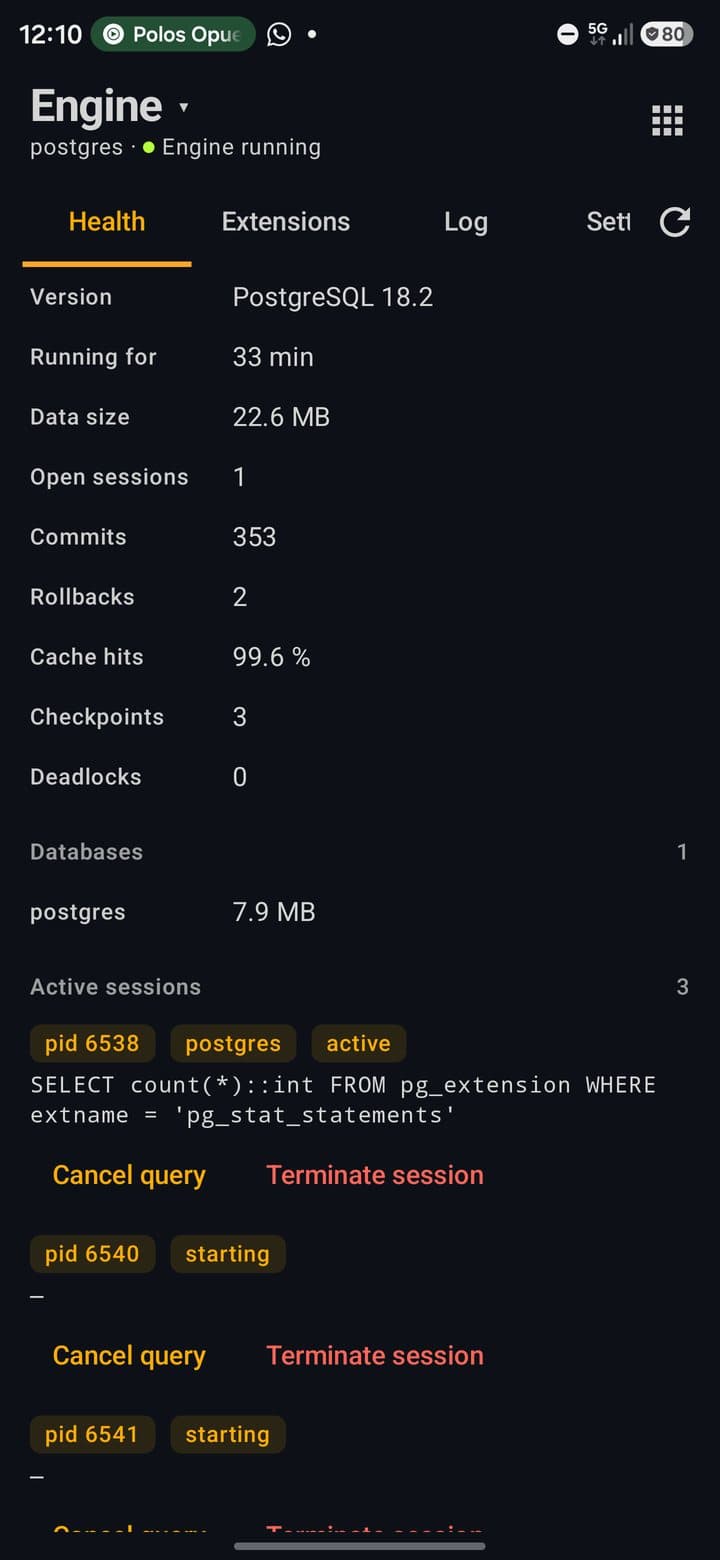
Open it with Manage on the engine card, or Engine in the title switch. It has four tabs:
Health
Version, Running for, Data size, Open sessions, commits, rollbacks, Cache hits, checkpoints and deadlocks. Below: the size of each database, with Delete database (never offered for postgres or the one you're connected to), active sessions with Cancel query / Terminate session, and the slowest statements when pg_stat_statements is on.
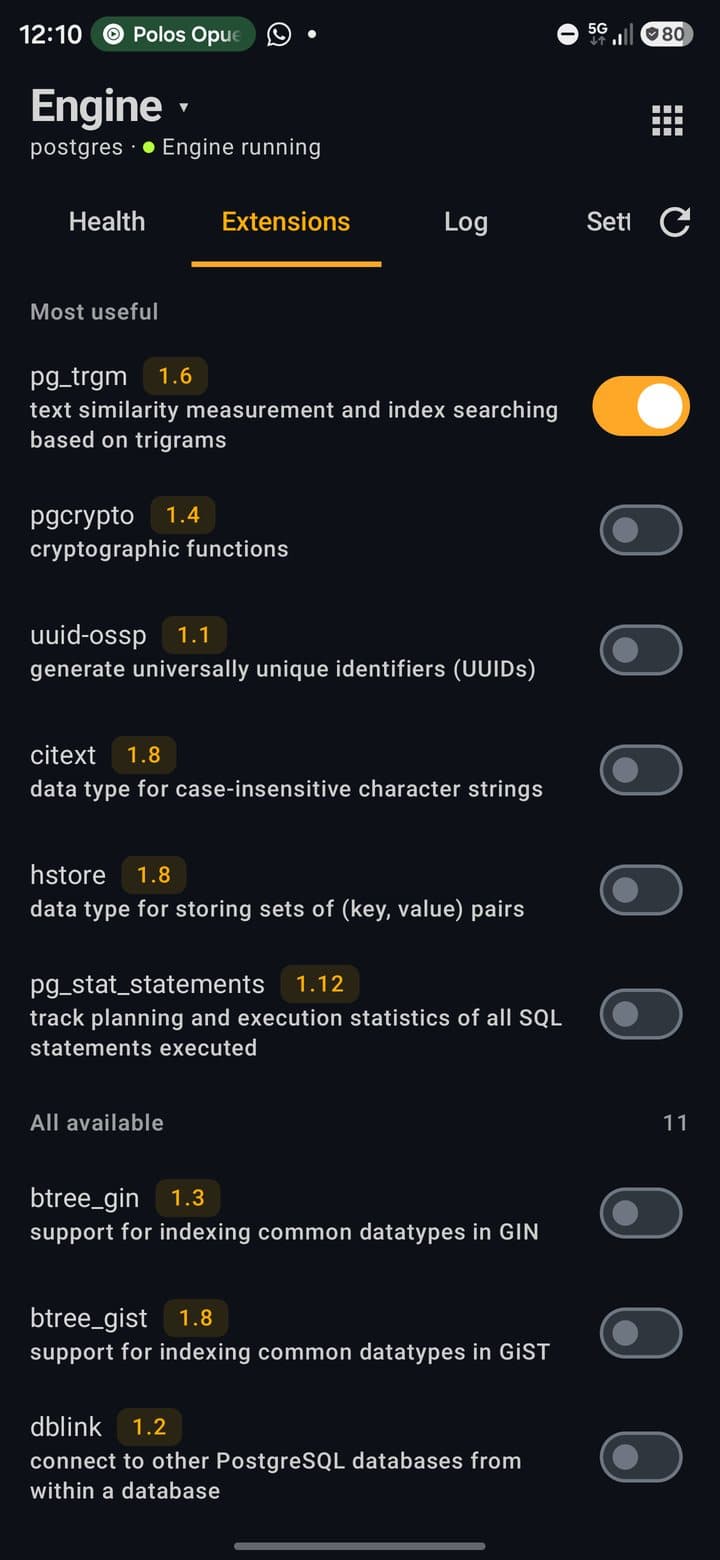
Extensions
The extensions PostgreSQL brings bundled, with a switch each. Most useful puts pg_trgm, pgcrypto, uuid-ossp, citext, hstore and pg_stat_statements first; 17 ship in total, including postgres_fdw, dblink, unaccent, tablefunc and btree_gin. A switch runs CREATE EXTENSION or DROP EXTENSION on the open database.
Log
The tail of the server log, filterable by LOG, WARNING, ERROR and FATAL, with Copy and Share.
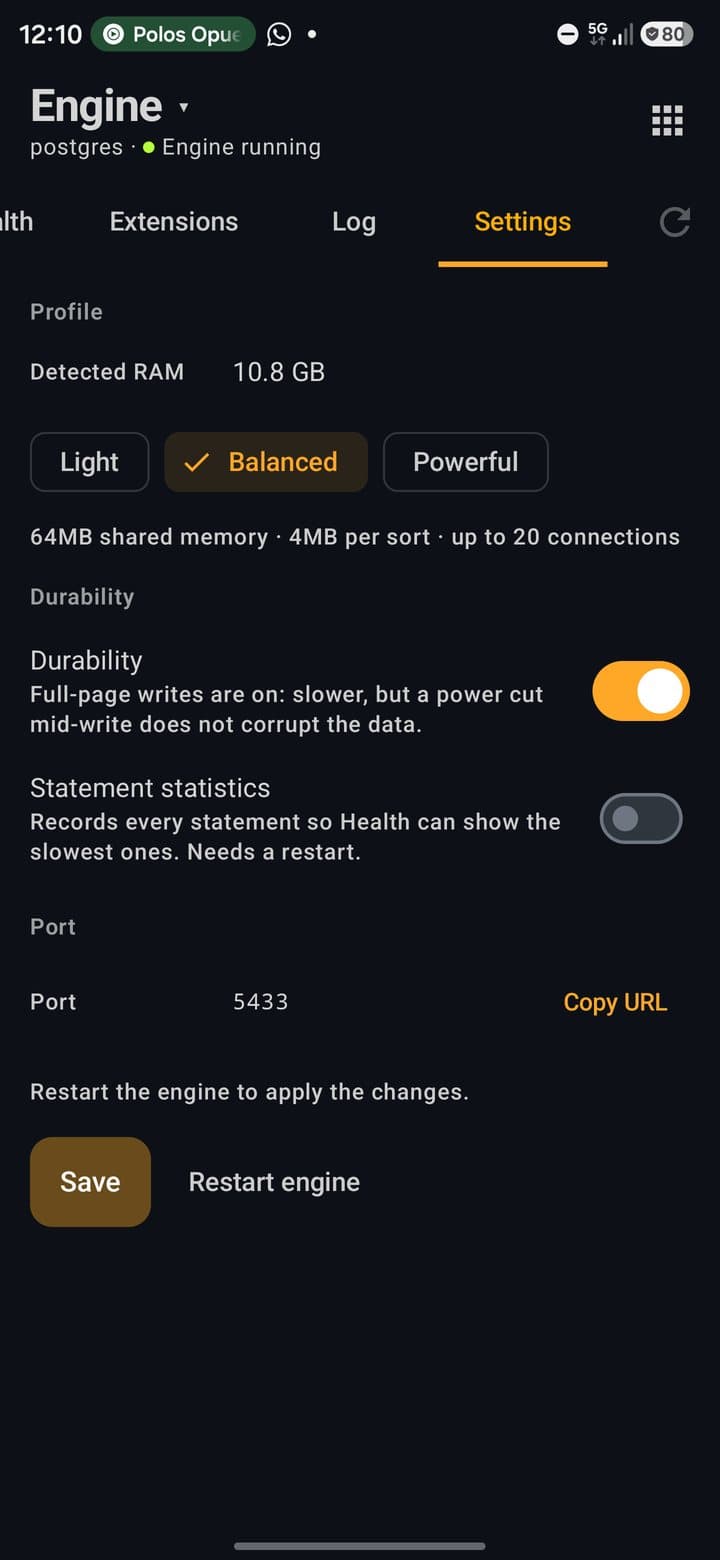
Settings
Memory Profile, Durability and Statement statistics. Save restarts the engine to apply them. The port is fixed at 5433; Copy URL copies the connection URL.
Memory profiles
| Profile | What it sets |
|---|---|
| Light | 16 MB shared memory · 2 MB per sort · up to 10 connections. Default on phones with less than 6 GB of RAM. |
| Balanced | 64 MB shared memory · 4 MB per sort · up to 20 connections. Default from 6 GB. |
| Powerful | 128 MB shared memory · 8 MB per sort · up to 30 connections. Needs 8 GB of RAM or more. |
More than one database
- Tap the title and choose New Database. Names keep letters, numbers and
_. The app switches to the new database straight away. - Every database appears under Databases in the same switch. Extensions, tables and queries apply to the one that's open.
- With Durability off the engine is faster, but a power cut while writing can corrupt the data. Keep it on unless the data can be regenerated.
Use it from your code
- 1On the engine card, tap Use in project. The sheet shows the connection URL with the password hidden.
- 2Reveal shows the password; Copy URL always copies the full URL, password included. With the biometric lock on, both ask for your fingerprint first.
- 3Write .env in the open project writes
DATABASE_URLinto the project's.env, replacing an existingDATABASE_URLand keeping the rest of the file. If the project has a.gitignore(or a.gitfolder),.envis added to it.
Terminal and Node
While the engine runs, the local terminal and Node scripts get DATABASE_URL, PGHOST, PGPORT, PGUSER, PGPASSWORD and PGDATABASE in their environment. With npm i pg in a project, new Client() connects with no configuration. The terminal also has a ready-made snippet, Local PostgreSQL (Node).
The variables are read when a terminal session starts: open a new session after starting the engine. The terminal has no psql or pg_dump; backups are done from the Backups tool.
Connections
My Connections lists the local engine first (when it's installed), then the cloud accounts and the servers you added. Each card shows the platform's logo, a status dot and a ⋮ menu.
Supported types
| Type | How it connects |
|---|---|
| PostgreSQL (Local) | The engine inside the app. |
| PostgreSQL | Directly to your server with the PostgreSQL driver. SSL modes from Disable to Verify Full, a CA certificate, and an optional SSH tunnel. |
| MySQL / MariaDB | PocketCode's own MySQL client, with TLS and an optional SSH tunnel. |
| Neon PostgreSQL | Your account's API to pick a project and run SQL, or connect directly over JDBC with its connection string for the full SQL console — ER diagram, EXPLAIN and roles. |
| Supabase | Your account's API: pick a project, run SQL across every schema, and open its Row Level Security policies. |
| PlanetScale MySQL | Your account lists databases and branches. Opening a branch creates a branch password and connects over MySQL with full certificate checks. Its schema, schema check and deploy request diff are one tap away. |
| Turso SQLite | Your account lists databases; SQL goes over Turso's HTTP API. |
| Cloudflare D1 | Your account lists databases; SQL goes over D1's API, the same way as Turso. |
| MongoDB Atlas | Connect with a service account (OAuth) or an API key (public/private key pair); pick a cluster to browse its database users, or open a database to query it. |
| Upstash Redis | Your account lists databases; opening one connects as a real Redis database — key browser, CLI and monitor — not through the management API. |
| MongoDB | PocketCode's own MongoDB client with SCRAM authentication and TLS. |
| Redis | PocketCode's own Redis client with TLS: key browser, CLI and monitor. |
| Cloud Firestore | Your Firebase project, added in Settings → Integrations. |
Add a server
- 1In My Connections, tap + (New Connection).
- 2Paste a URL in Connection String and tap Parse Connection String to fill the form.
postgres://,postgresql://,mysql://,mariadb://,mongodb://,mongodb+srv://,redis://,rediss://andjdbc:URLs are understood. - 3Or fill Connection Name, Database Type, Host, Port, Database, Username and Password by hand.
- 4Tap Test Connection. The result stays on screen with the server's answer and the latency.
- 5Tap Save. The password goes to encrypted storage; the connection file never holds it.
SSL and SSH
| Use TLS | Mode chips Disable, Allow, Prefer, Require, Verify CA and Verify Full. For PostgreSQL, the two Verify modes need a CA file, picked with Choose CA certificate…. |
| Use SSH tunnel | SSH host, port and user, with a password or a private key file (Choose private key…). Keys with a passphrase aren't supported yet. |
| Host keys | The first time you reach an SSH server its fingerprint is saved and shown. If the key changes later, the connection stops before sending anything. |
- Card menu: Edit Connection, Duplicate, Test Connection and Delete, which asks first. The local engine's card can't be edited or deleted.
- Colour and group (under Appearance) mark a connection as production, staging, development…; production shows in red.
SQL console
Open it from Tools → SQL console. It works with the local engine, your PostgreSQL and MySQL servers, Neon, Supabase, PlanetScale, Turso and Cloudflare D1.
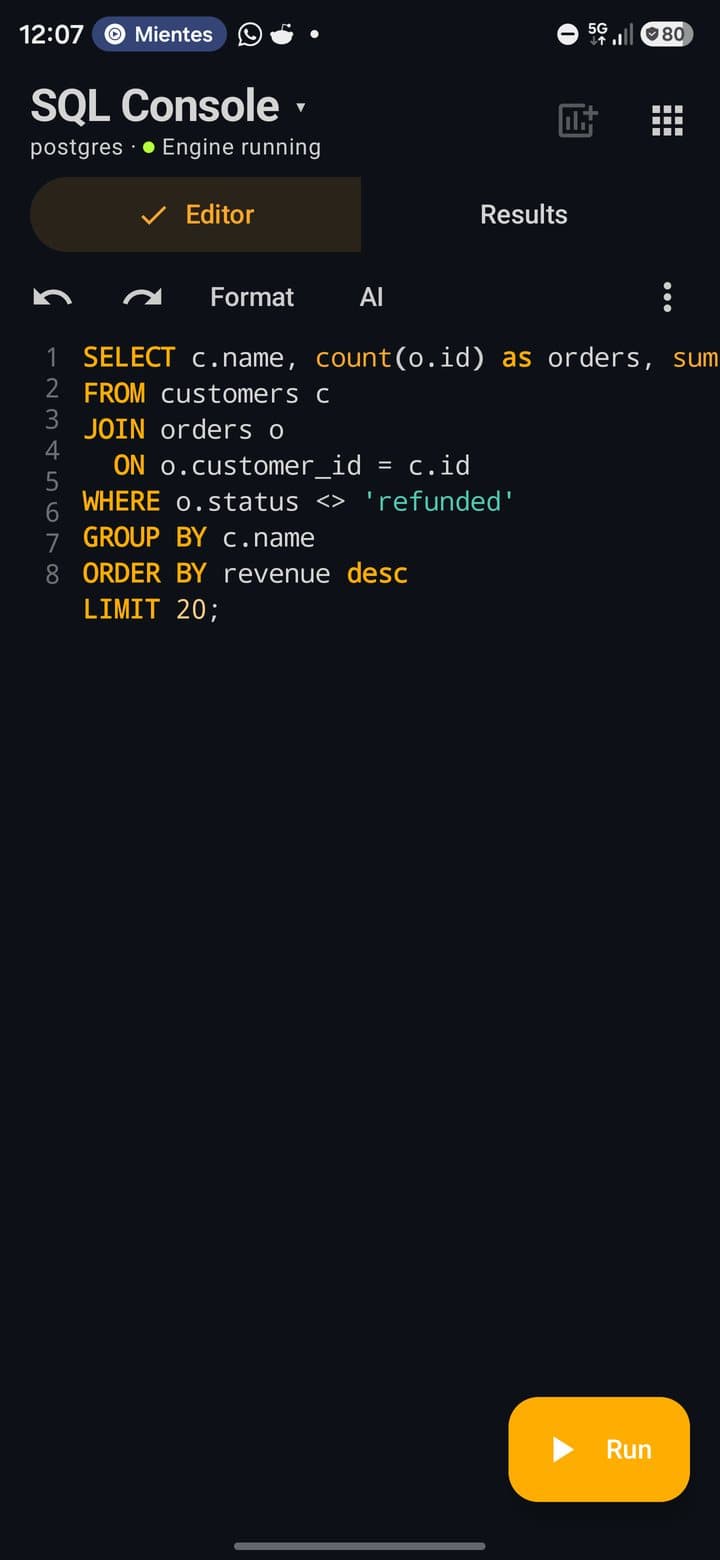
- Editor: line numbers, syntax highlighting in the connection's dialect (PostgreSQL, MySQL or SQLite), Undo / Redo, Format, and text size in the ⋮ menu. Autocorrect and automatic capitals are off.
- Suggestions for keywords, tables, views, columns of the open table and functions appear as chips while you type.
- Key row: with the keyboard open, a row above it has symbols
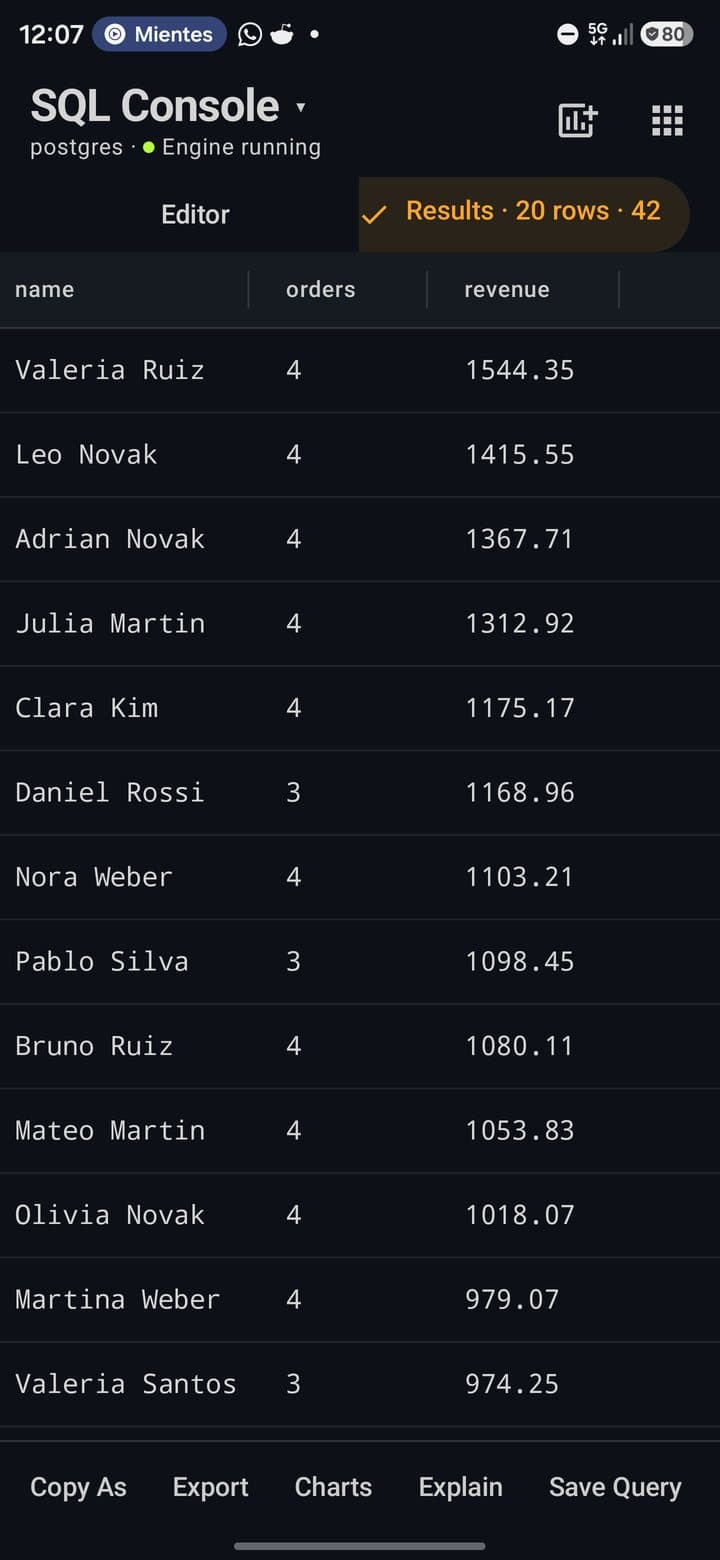
( ) , ; = * ' " < > . :, common words (SELECT,FROM,WHERE,JOIN…) and, behindfx, the dialect's functions. Run sits at its right end. - Run and Stop: Run runs the whole editor. While it runs, Results shows the elapsed time and a Stop button. On the local engine and your servers, Stop cancels the query on the server.
- Statements that return no rows say what happened:
Table created · 53 ms,3 rows affected · 8 ms,Statement executed. - Row cap: a plain
SELECTwithoutLIMITgetsLIMIT 500. Queries time out after 30 s on the local engine and 60 s on remote servers.
Safe mode
Before running DELETE or UPDATE without WHERE, DROP TABLE, DROP VIEW, DROP INDEX or TRUNCATE, the console shows Dangerous Operation with the exact SQL. Nothing runs until you tap Execute Anyway. On MySQL the list is longer: DROP DATABASE, GRANT, ALTER … DROP, RENAME TABLE, KILL and more.
Parameters
- 1Write named parameters in the query:
SELECT * FROM orders WHERE status = :status AND total > :min; - 2Tap Run. Instead of running, the console opens Query Parameters with one field per name.
- 3Fill the values and tap Run. Values are sent as quoted text. The editor keeps the query with its
:names, and so does the history.
What to do with the results
| Copy As | CSV, TSV, JSON, NDJSON, SQL (INSERT), SQL (full) or Markdown, to the clipboard. |
| Export | CSV, TSV, JSON, NDJSON, SQL (INSERT), SQL (full), Markdown or Excel (XLSX), written to a file you choose. |
| Charts | Bar, line, pie, scatter or heatmap from the result, exportable as PNG. The first column is the X axis. |
| Explain | Opens the execution plan of the query in the editor. |
| Save Query | Saves it with a name. Saved queries can be grouped into folders from Tools → Saved queries. |
| Add to dashboard | The icon in the header saves the query as a dashboard widget. |
Tabs, history and saved queries
| Tabs | ⋮ → New Tab. With two or more, a thin strip of tabs appears; long-press a tab to rename it. Tabs and their text survive closing the app. |
| Query History | Everything you ran, newest first, up to 500 entries, with duration, rows and errors in Tools → Query history. |
| Saved Queries | Tap one to load it into the editor. |
Keyboard shortcuts (tablet in landscape)
Ctrl+Enter | Run |
Ctrl+Shift+Enter | Run the selection |
Ctrl+T / Ctrl+W | New tab / close tab |
Ctrl+S | Save query |
Ctrl+/ | Comment or uncomment the selected lines |
Write SQL with AI
The assistant lives inside the editor, above your code. It writes a proposal; nothing reaches the editor until you accept it, and nothing runs on its own.
- 1In the console, tap AI. A line with Describe the query you need… opens above the code.
- 2Describe the query in your own words and tap Generate. A shortcut: write the request as a comment on the cursor's line, like
-- customers who ordered this month, and tap AI. - 3Read the proposal. Above it, the origin: the provider and model, or Offline — generated by rules, not a model when no model answered.
- 4Tap Accept to put it in the editor, replacing the selection or on a new line below the cursor. Discard leaves the editor as it was; the refresh icon asks again.
- What it knows: the dialect and the names of your tables, views and their columns, so it writes
ciudadwhen the column is calledciudad. No row data is sent. - Which model: the one set for SQL assistant in the AI settings, your manual choice, or a fast model in Automatic mode.
- Consent: the first time a provider is used, the app asks Send to …? before sending anything.
- If the model answers something that isn't SQL, you see its answer and a note to pick another model, with no Accept button.
- Without a model, a built-in rule generator proposes simple queries (select, count, group, insert, delete) and labels them as rules.
Browse and edit data
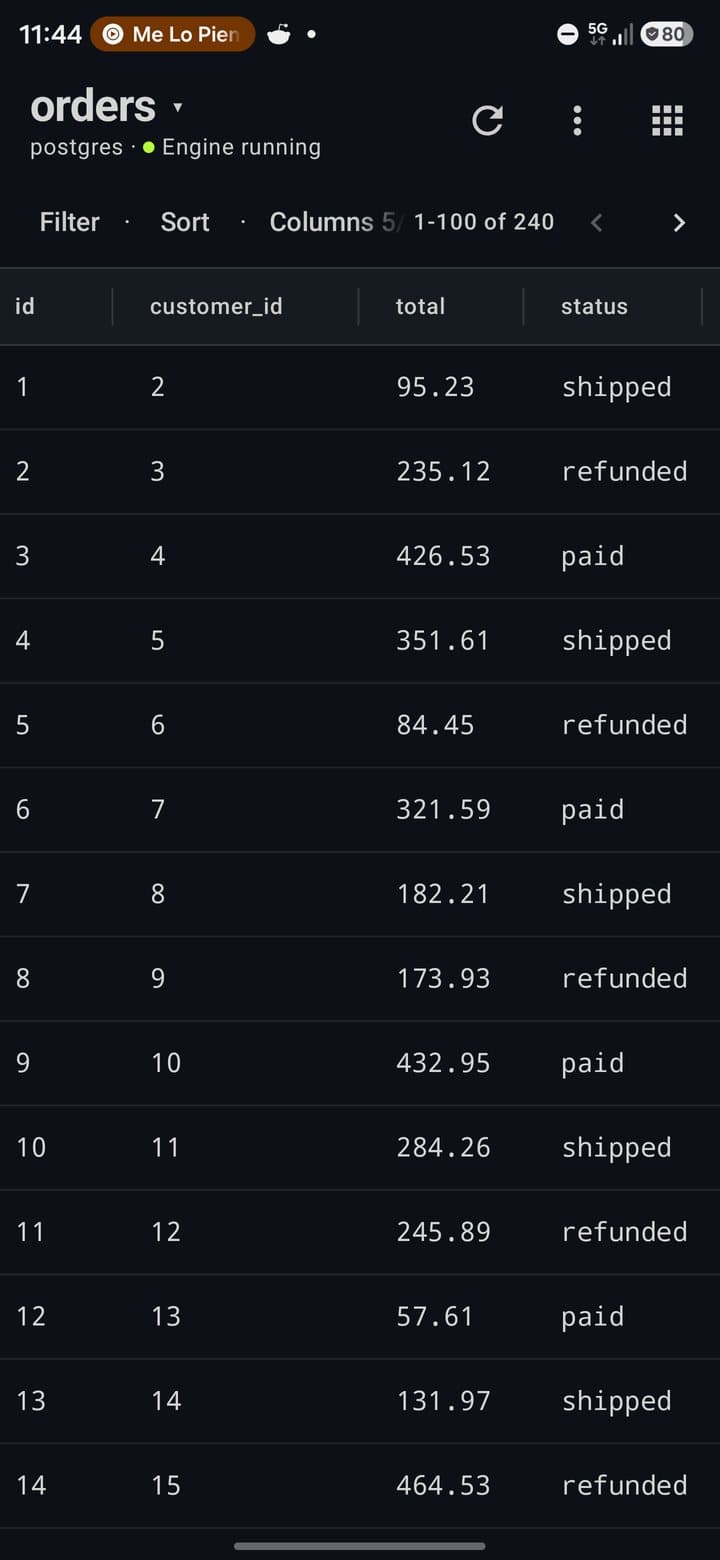
Tap a table in the list to open it. Pages hold 100 rows and are ordered by the primary key, so a row you edit stays where it was.
Filter and sort
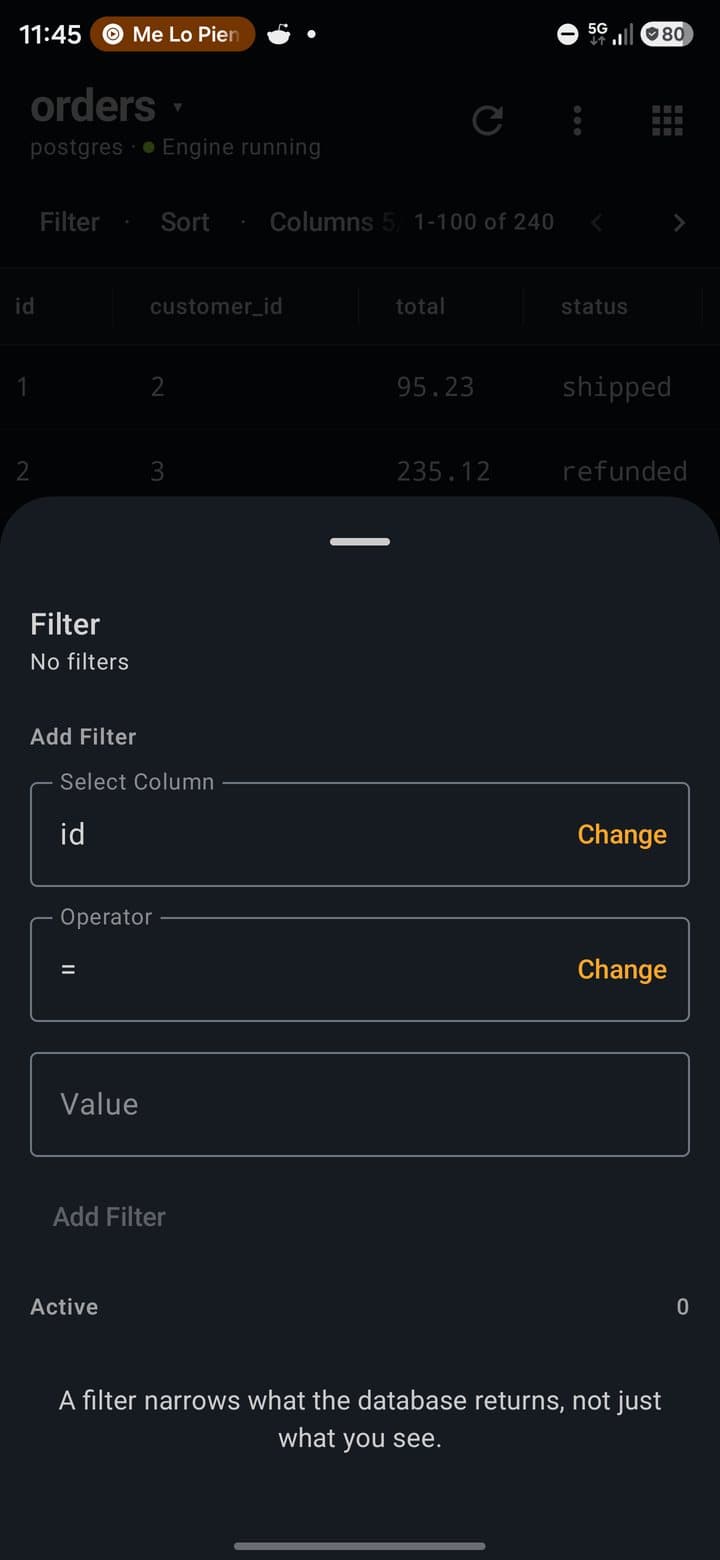
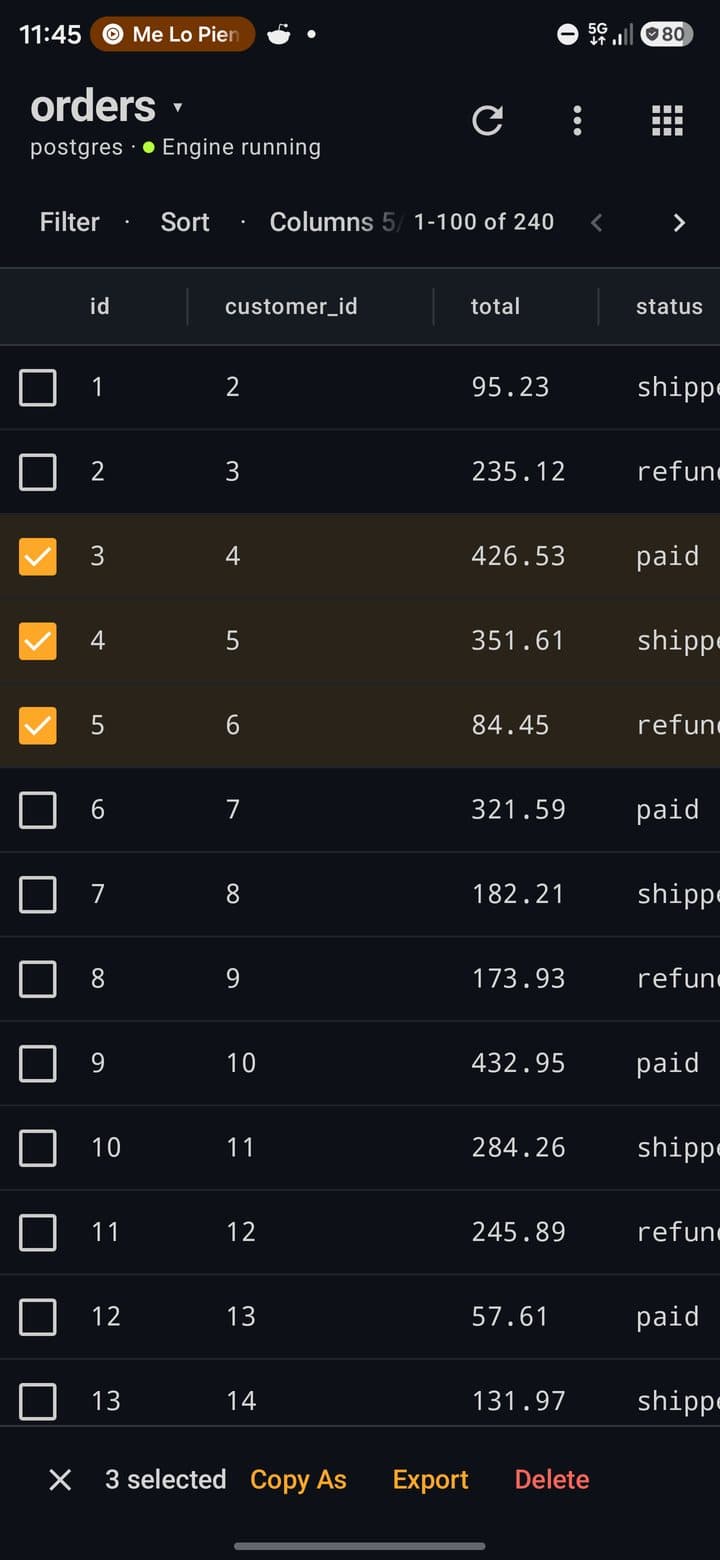
Filter opens a sheet: column, operator (=, !=, >, <, >=, <=, LIKE, NOT LIKE, IS NULL, IS NOT NULL, IN, BETWEEN) and value; BETWEEN asks for From and To. Filters combine with AND and run on the server. Sort or tapping a column header orders the rows. The range on the right (1-100 of 240) and the arrows move between pages.
Columns
Columns hides and shows columns and gives a column a format: stars, progress bar, boolean, link or colour. Long-press a header to freeze a column, fit or reset widths, or switch between compact and comfortable rows. Views saves the current filters, sort, columns and widths under a name for this table and connection, and applies them again with a tap.
Edit a cell
Long-press a cell that isn't part of the primary key, change the value or switch it to NULL, and tap Save. The change waits in a bar at the bottom: See SQL shows the exact UPDATE … WHERE id = …, Discard drops it and Apply runs it.
Row detail
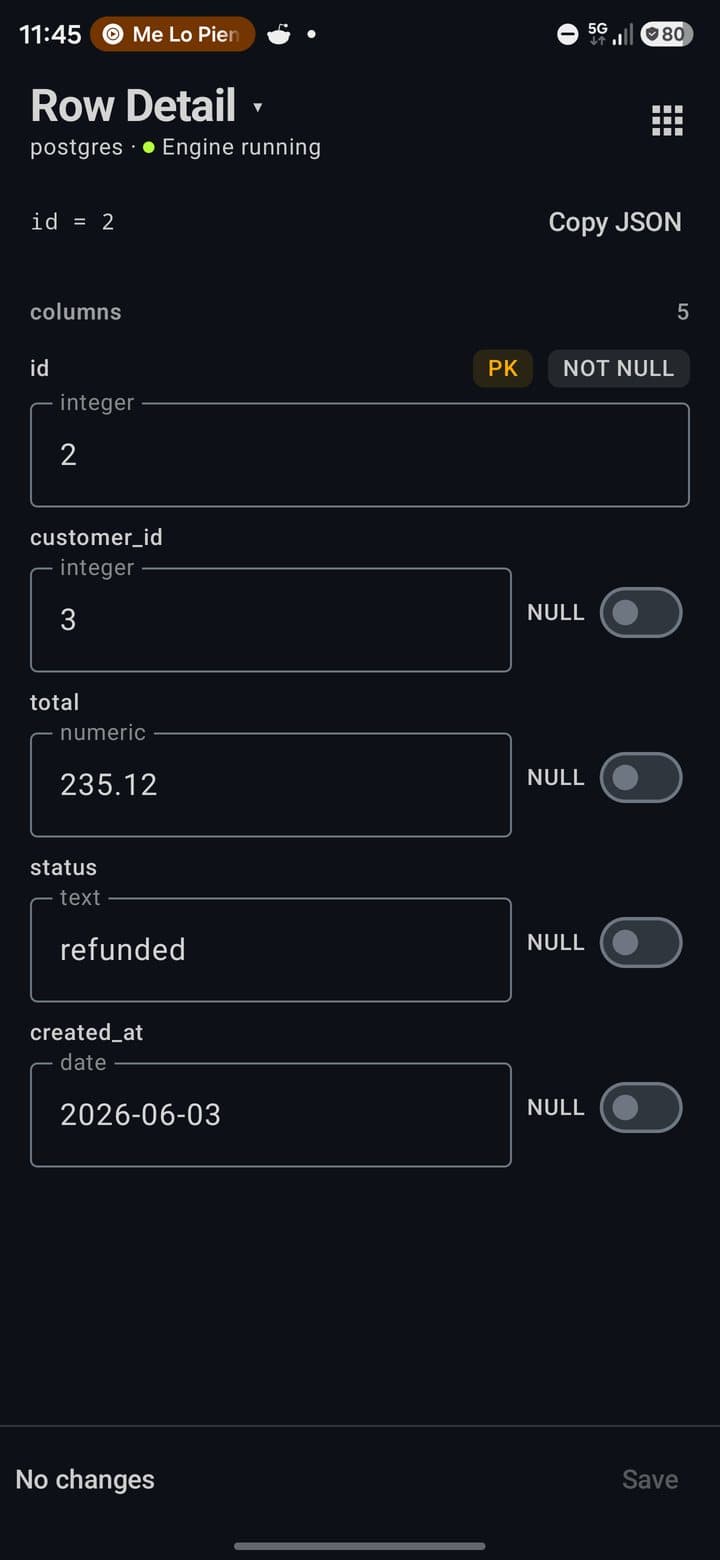
Tap a row for a form with every column: its type, PK / FK / NOT NULL badges and a NULL switch for nullable columns. Copy JSON copies the row. Save applies only the fields you changed.
Select rows
Long-press a cell of the primary key column. Checkboxes appear; tap rows to add them. The bar offers Copy As, Export (including XLSX, as a file to share) and Delete, which goes through safe mode and waits for Apply.
More in ⋮
Insert Row opens the row form empty: fields you leave untouched take the column default (a serial key fills itself). Add column (with a warning when a NOT NULL column has no default and the table has rows), Table Detail (columns, indexes, keys and a DDL you can copy, plus rename, truncate and drop) and Export.
Export a table
⋮ → Export or Tools → Export writes the open table to a file you pick with Save to…: CSV, TSV, JSON, NDJSON, SQL (INSERT), SQL (full), Markdown or Excel (XLSX). With filters on, choose Filtered rows or Whole table. Rows are written in batches, so there's no size limit.
Tools
Tools shows only what applies to the open connection. The groups below follow the sheet.
Explore
| Schema tree | Tables and views with their columns; on PostgreSQL, their indexes too. Tap a table to open it. |
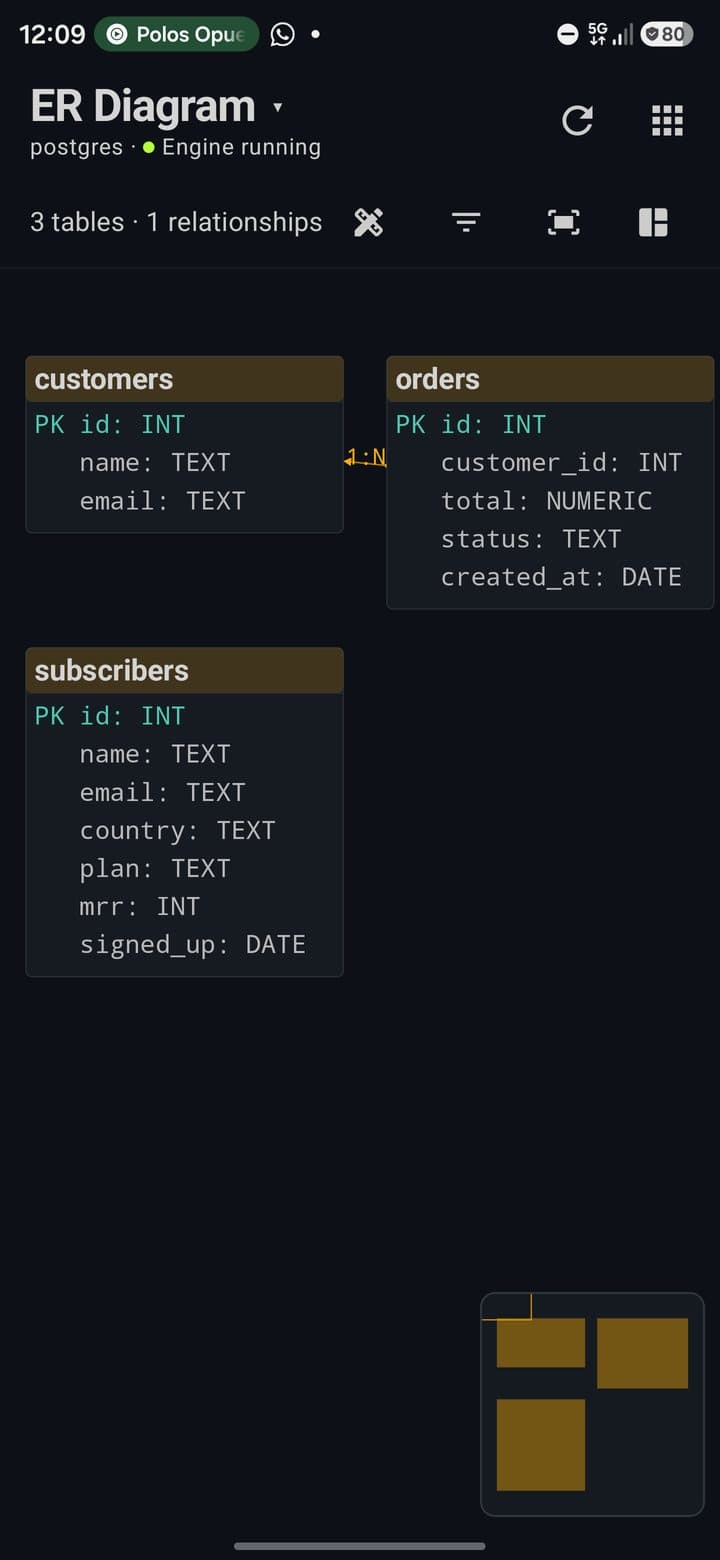
| ER diagram | Tables and their relationships on a canvas you can pinch and drag. Zoomed out, columns hide and names stay readable. Export Diagram saves a PNG; Edit as design copies it into the schema designer. Works on the local engine and on your PostgreSQL and MySQL servers. |
Query
| Query history · Saved queries | Everything you ran, and your saved queries with folders. |
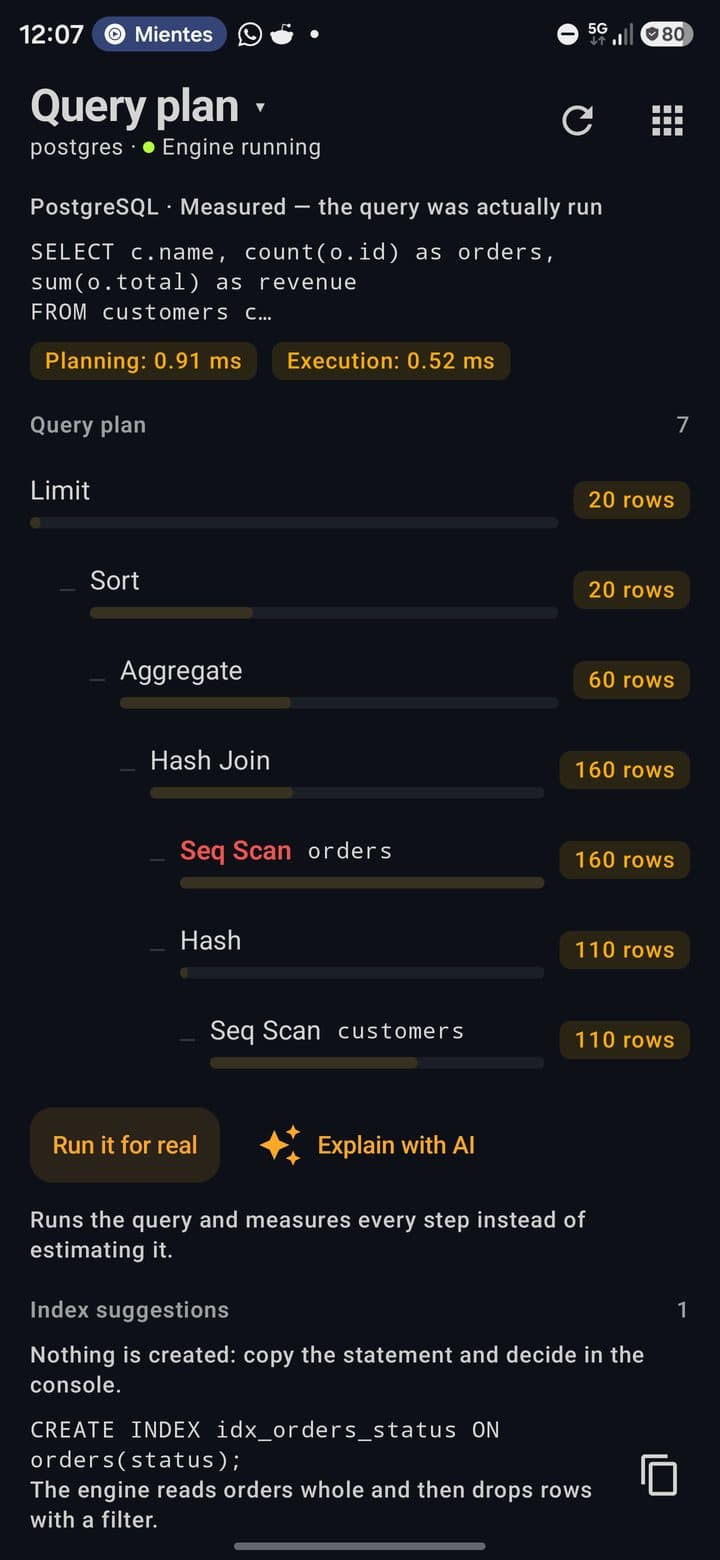
| Execution plan | The plan as a tree with a cost bar per step and the most expensive step in red. On PostgreSQL, Run it for real measures each step (it asks first if the statement writes). Index suggestions proposes a CREATE INDEX to copy, never to run by itself. Explain with AI explains the plan with your model. |
| Charts | A chart from the last result, exportable as PNG. |
| Dashboards | Widgets from your queries: table, single value, bars, line or pie, with auto-refresh. Only read-only queries run in a widget. With the engine on, a Server tab shows its health live. |
Design
| Schema designer | Tables on a canvas for MySQL, PostgreSQL, SQLite, MariaDB, SQL Server or MongoDB, from scratch or from six templates (Blog, E-Commerce, Social Network, SaaS Platform, Chat App, Project Management). Generates SQL DDL, Room, Prisma, TypeORM, Django, JSON Schema and DBML. Apply to … opens the script in the console without running it, with every DROP marked ⚠. |
| New table | A form with columns, types and PK, AI, NN, UQ flags. |
| Compare schemas | Save Snapshot, change the schema, Run Diff: added, removed and modified tables, and Generate Migration writes the SQL into the console. Premium. |
| Import schema | Brings the open database's tables, indexes and foreign keys into the designer. |
Data
| Test data | Fills the open table with plausible rows (names, emails, cities, dates…) guessed from column names in English, Spanish and Portuguese, using existing foreign key values. Or describe the data and Generate with AI. |
| Import | CSV, TSV, JSON, NDJSON, SQL INSERTs or Excel (XLSX). A preview shows 50 rows and the detected types. Create table creates it; Truncate first empties it. On the local engine the import is one transaction: if a row fails, nothing is saved. |
| Export | The open table to a file (see Browse and edit data). |
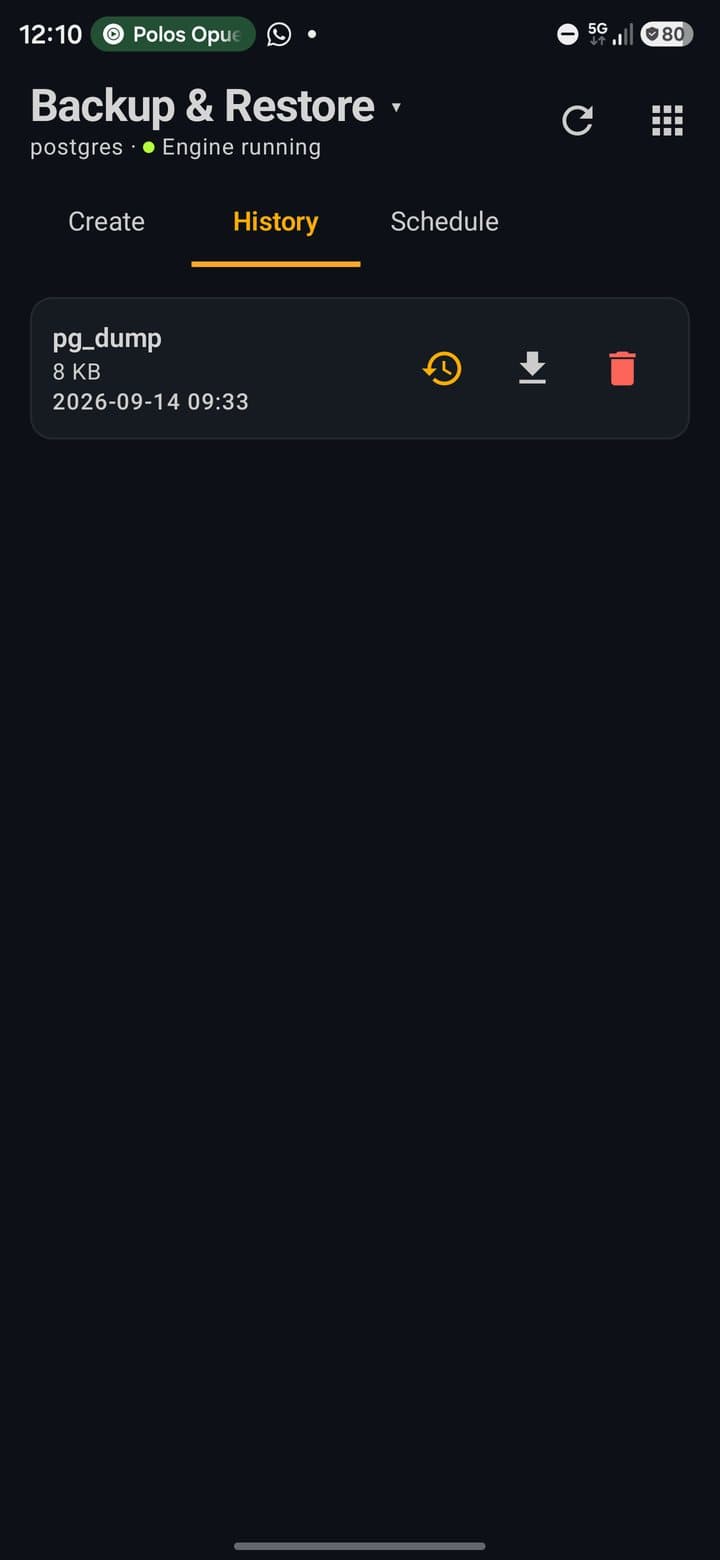
| Backups | Local engine: Start Backup with pg_dump or a SQL dump, History with Restore (a safety copy of the current database is taken first), Save to… and Import backup… through the system file picker. Schedule copies the local engine in the background while it is running (Premium). |
Server
| Monitor | Latency, the engine's client sessions with cancel and terminate, the queries this app ran with their duration, a slow log, an estimate of index use, and alerts you define that are checked when you open Monitor. |
| Engine settings · Extensions · Server log | Shortcuts to the tabs of the engine screen. |
| New database | Another database inside the local engine. |
Security
| Security | Masking hides columns in the data viewer by name (the database isn't touched), Roles lists the server's roles and privileges, Permissions runs GRANT and REVOKE, and Biometric locks the module behind your fingerprint or PIN. |
| Audit log | Every statement run from the console: time, connection, table, rows, duration and errors, with Run again. Up to 1,000 entries, on the phone. |
| Sharing | Copy a connection without its password, copy the current query, or save the configuration (connections without passwords, and saved queries) to a JSON file. Paste and Open… import it back: new connections and saved queries are added, anything already there is skipped, and passwords are entered again when connecting. |
From the AI chat
The AI chat can use your databases without the module being open. Ask it in plain words (“what tables do I have?”, “how many orders were refunded?”) and it calls these tools:
| Tool | What it does |
|---|---|
db_list_connections | Lists the local engine and your saved connections, marking the active one. |
db_list_tables | Table names of a database. |
db_schema | Columns and types of one table or all of them. |
db_query | Runs a read-only statement: SELECT, WITH, EXPLAIN, SHOW or DESCRIBE. Anything that writes is refused. |
db_execute | Runs a statement that changes data or schema. It asks for your approval first, unless the chat is in Full access and Ask before acting outside this device is turned off. |
- The tools act on the connection you opened last, or on the local engine when you have nothing else set up. The model can name another connection from the list.
- Query results sent to the model are real rows. Masking rules don't apply to the chat.
Free and Premium
Everything on this page is available on the free plan, with these limits:
| Limit | Free / Premium |
|---|---|
| Saved connections | 1 / unlimited (the local engine and cloud accounts don't count) |
| Tables per database | 4 / unlimited |
| Console tabs | 2 / unlimited |
| Databases in the local engine | 1 (postgres) / unlimited |
| Saved queries | 5 / unlimited |
| Test data per run | 100 rows (50 with AI) / 100,000 rows (200 with AI) |
| Compare schemas | Premium |
| Scheduled backups | Premium. Creating, restoring, exporting and importing backups are free. |
Privacy and security
- No PocketCode server: data goes from the app to the local engine, to your host (or its SSH jump host) or to the provider's API. Connections aren't synced to the cloud.
- Passwords live in Android's encrypted storage, per account. The connection file keeps host, port, database and user, never the password. The app has cloud backup turned off.
- The local engine accepts TCP only from the phone itself and always with a password (SCRAM-SHA-256). Its password is random and stored encrypted; the engine refuses to start without one.
- AI: nothing is sent to a provider before you accept its consent dialog. The SQL assistant sends the dialect and your table and column names; the execution plan explanation sends the query and its plan; the chat tools send the rows they read.
- Masking changes what you see in the data viewer only.
- The biometric lock accepts your fingerprint or the device PIN and locks entering the module and revealing masked values.
Limitations
What doesn't work yet, so it doesn't catch you by surprise:
- The local engine needs a 64-bit ARM phone. It isn't available on x86 emulators or Chromebooks. Local MariaDB isn't included.
- MongoDB shows collections and their counts, not the documents inside.
- Neon: SQL runs on projects that use the default
neondbdatabase andneondb_ownerrole. - ER diagram draws the local engine and your PostgreSQL and MySQL servers; on cloud accounts use Import schema to see the tables in the designer.
- Measured execution plans (Run it for real) are PostgreSQL only; SQLite plans have no costs.
- Scripts: the console sends the whole editor at once, and each run uses its own connection, so
BEGINin one run andCOMMITin the next don't form a transaction. - Grid edits are applied statement by statement. If one fails, the ones before it stay applied.
- Restore is available for the local engine. Your servers and cloud databases keep their backups with their provider.
- The biometric lock doesn't yet ask before deleting a table or revealing the engine password.
Troubleshooting
“… is not included in this build for your device”
The phone isn't 64-bit ARM, so the local engine can't run. Everything else in the module works.
The engine card says Stopped after I come back
Android stopped the app in the background. Tap Start; the data is safe, and PostgreSQL recovers on its own if it was writing.
echo $DATABASE_URL prints nothing in the terminal
Start the engine, then open a new terminal session. A session opened before the engine started doesn't see the variables.
Test Connection fails on a PostgreSQL server with Verify CA or Verify Full
Those modes need the server's CA file: pick it with Choose CA certificate…. With Require the connection is encrypted without checking the certificate.
The AI proposal says Offline — generated by rules, not a model
No model answered: add a provider key in Settings, or pick a model for SQL assistant in the AI settings, and tap the refresh icon.
Dangerous Operation appears for a query I trust
Safe mode checks the text, not your intent. Read the SQL in the dialog and tap Execute Anyway.
I can't create a fifth table
The free plan allows 4 tables per database. Premium removes the limit.